FSR 4.1 for RDNA 3 Review: Image Quality Analysis
Assessing the visual quality of FSR 4.1 with RDNA 3 in games.
In this Article
FSR 4 for RDNA 3 (Radeon RX 7000) is now officially supported. But how does it perform in terms of visuals and performance? In this initial test, we compare FSR 3 and FSR 4—the latter in two variants: the RDNA 3-compatible Int8 version and the standard FP8 variant for RDNA 4. First, we evaluate the quality using six examples. We're using a Radeon RX 7800 XT as our RDNA 3 platform. We first enable FSR 3 directly in-game, then activate the FSR 4 driver override, which AMD Software offers for RX 7000 graphics cards since version 26.6.2, and compare the results. With this override option, FSR 4.1.1 with the Int8 model is enabled in all games that support FSR 3.1. To compare the quality, we then install a Radeon RX 9070 XT (RDNA 4) and also enable FSR 4.1.1 via the AMD Software override function. Both graphics cards now use the new FSR 4.1.1, though in different variants. The Radeon RX 7800 XT uses the less accurate Int8 variant, while the RX 9070 XT uses the FP8 model, which is optimized for RDNA 4 by default.
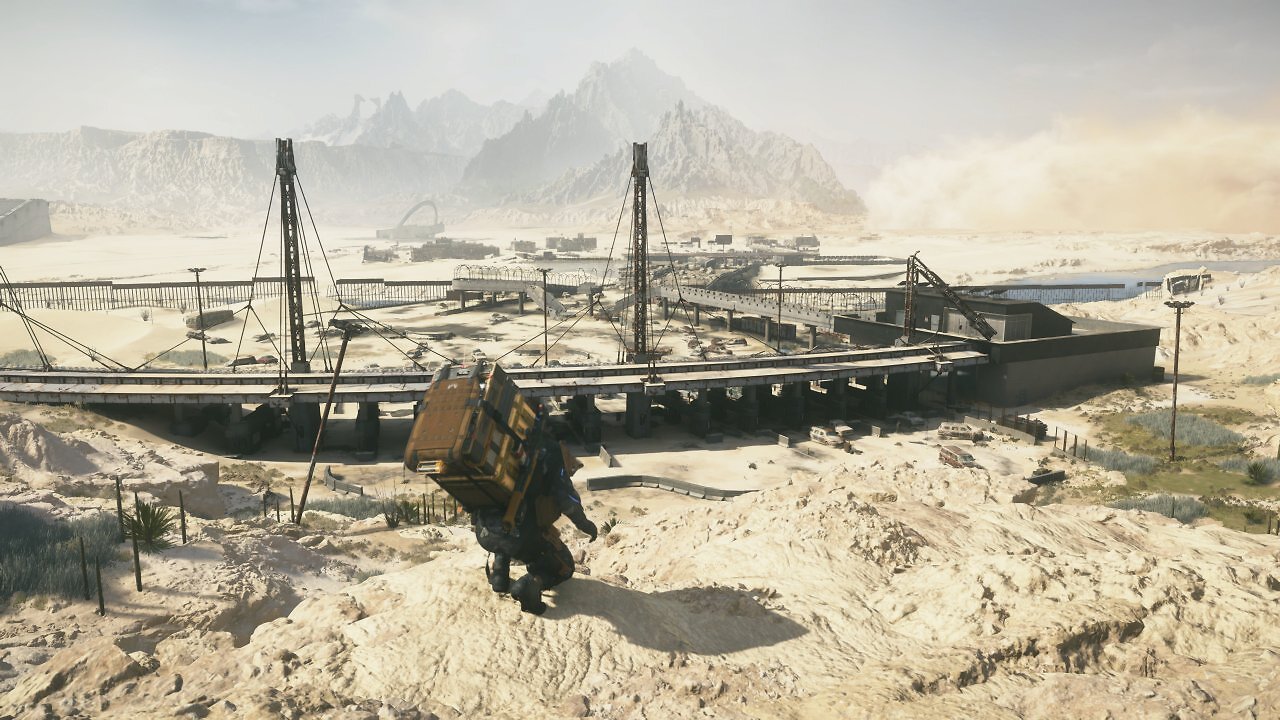
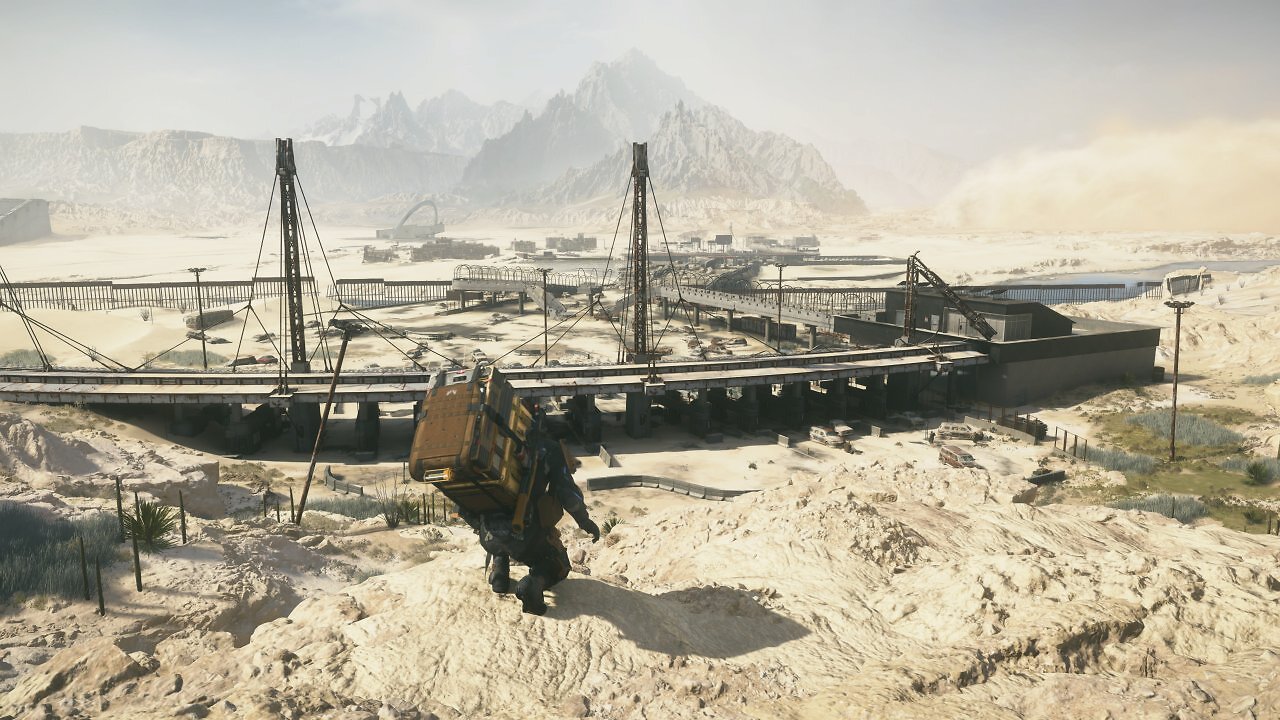
Our first example is Death Stranding 2. We've already conducted several experiments with this game using FSR 4 and older RDNA generations. In Death Stranding 2, the differences between FSR 3 and FSR 4 are clearly visible in fine details. Moreover, when using FSR 4.0.2.c Int8 via Optiscaler, we also noticed minor visual compromises compared to the officially supported FSR 4 FP8 on RDNA 4. Now that FSR 4.1.1 can be enabled both in the Int8 variant for RDNA 3 and via AMD Software 26.6.2 with the FP8 model for RDNA 4, we can directly compare the two variants. Are there any noticeable differences?
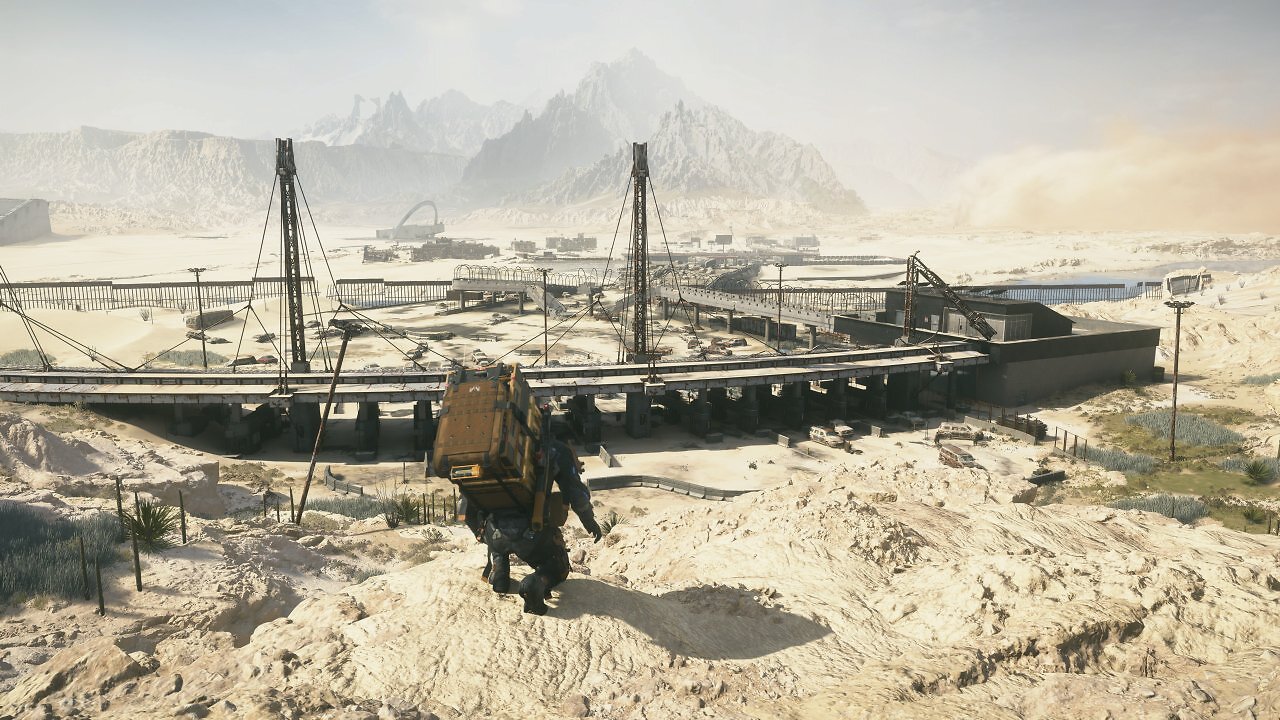
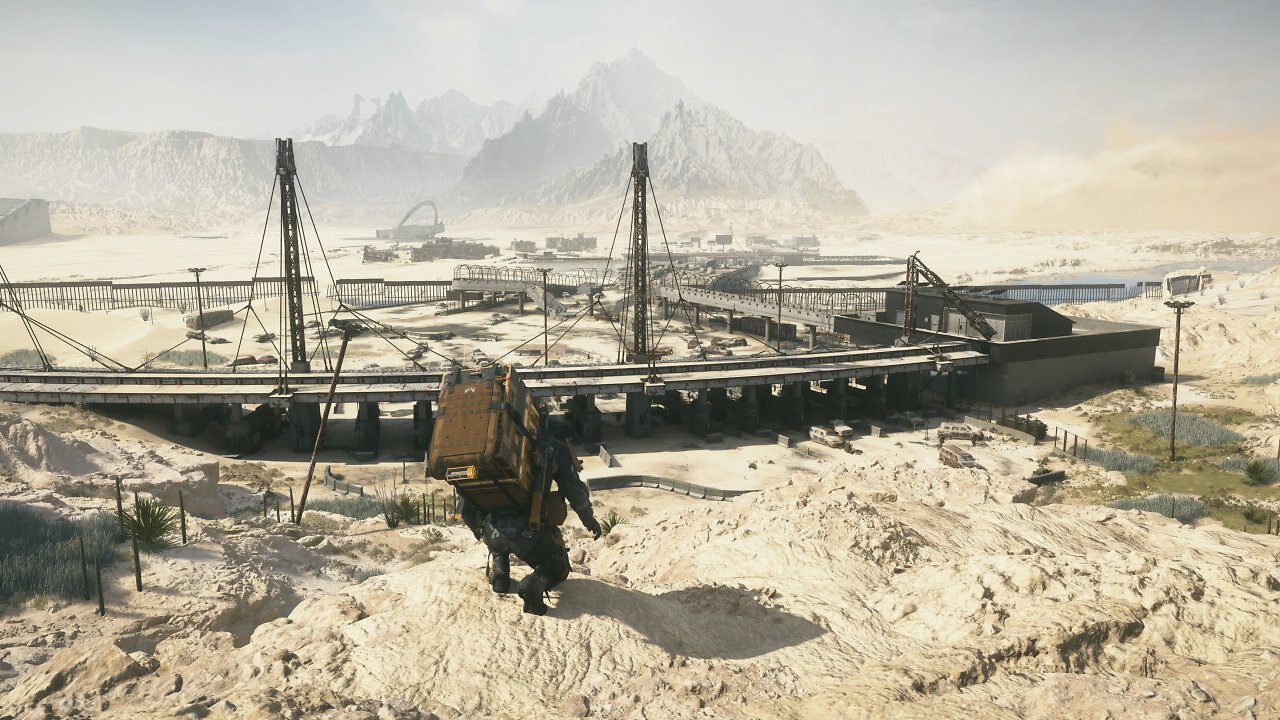
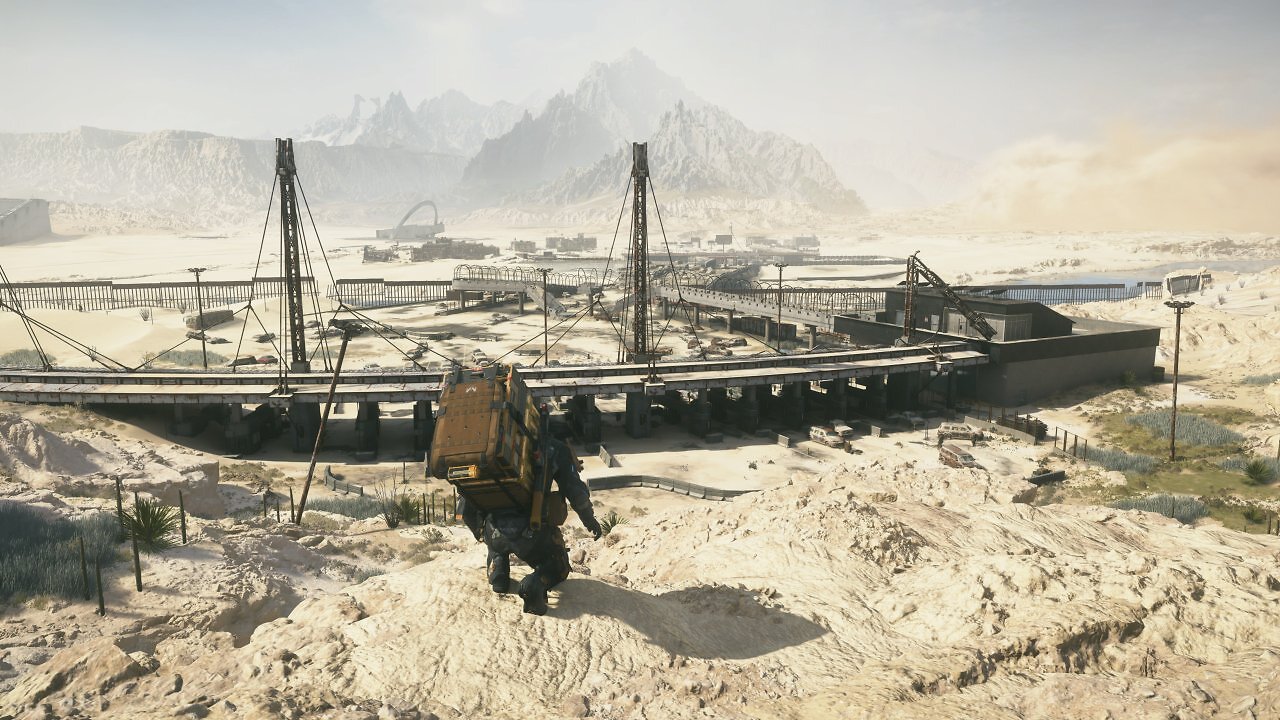
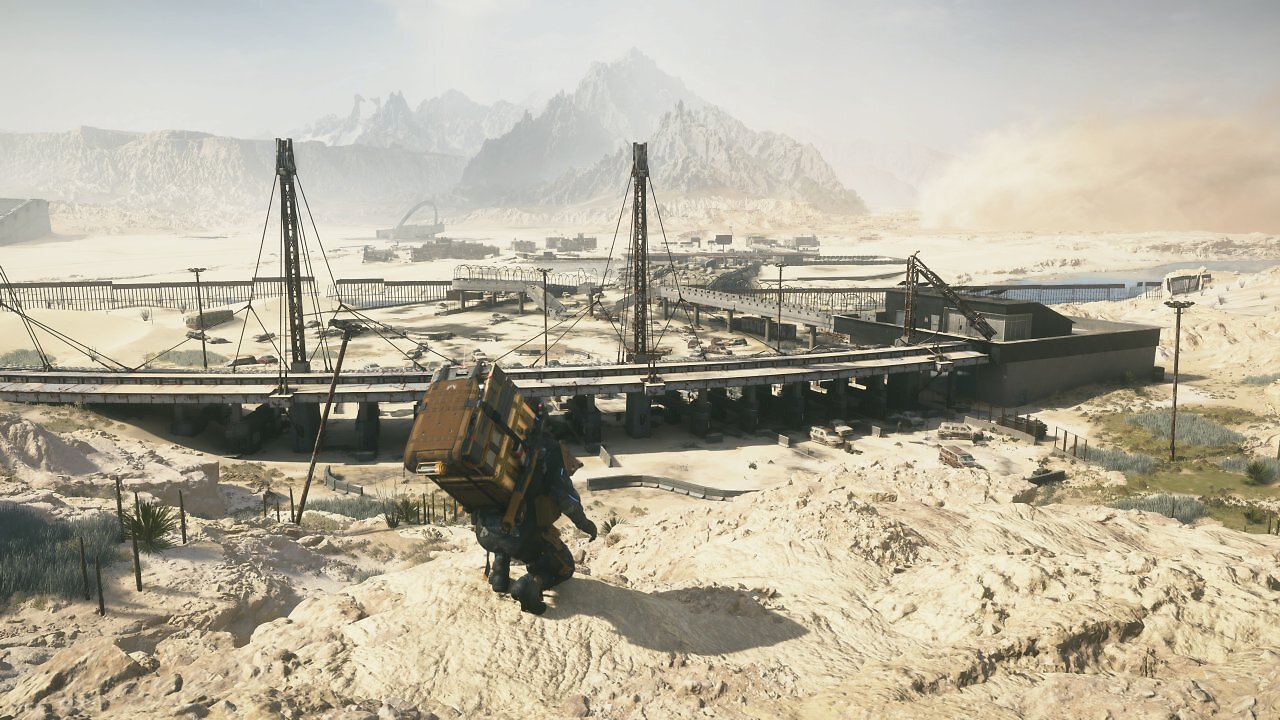
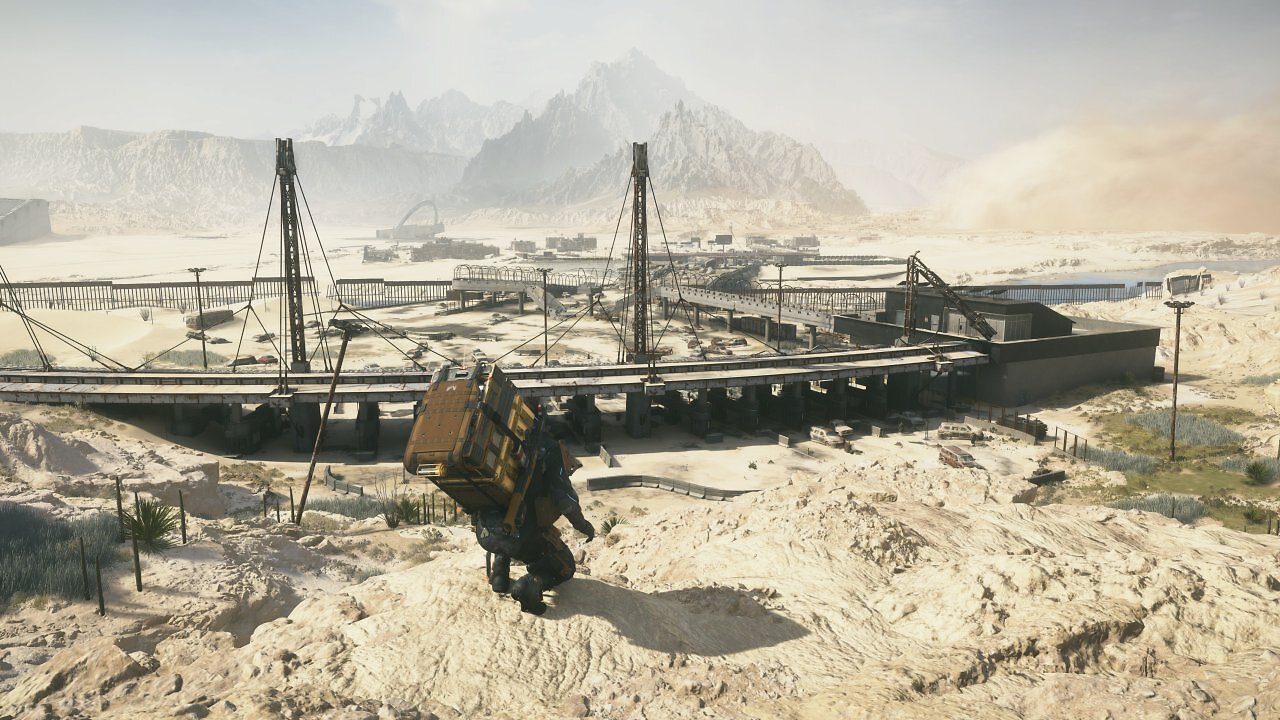
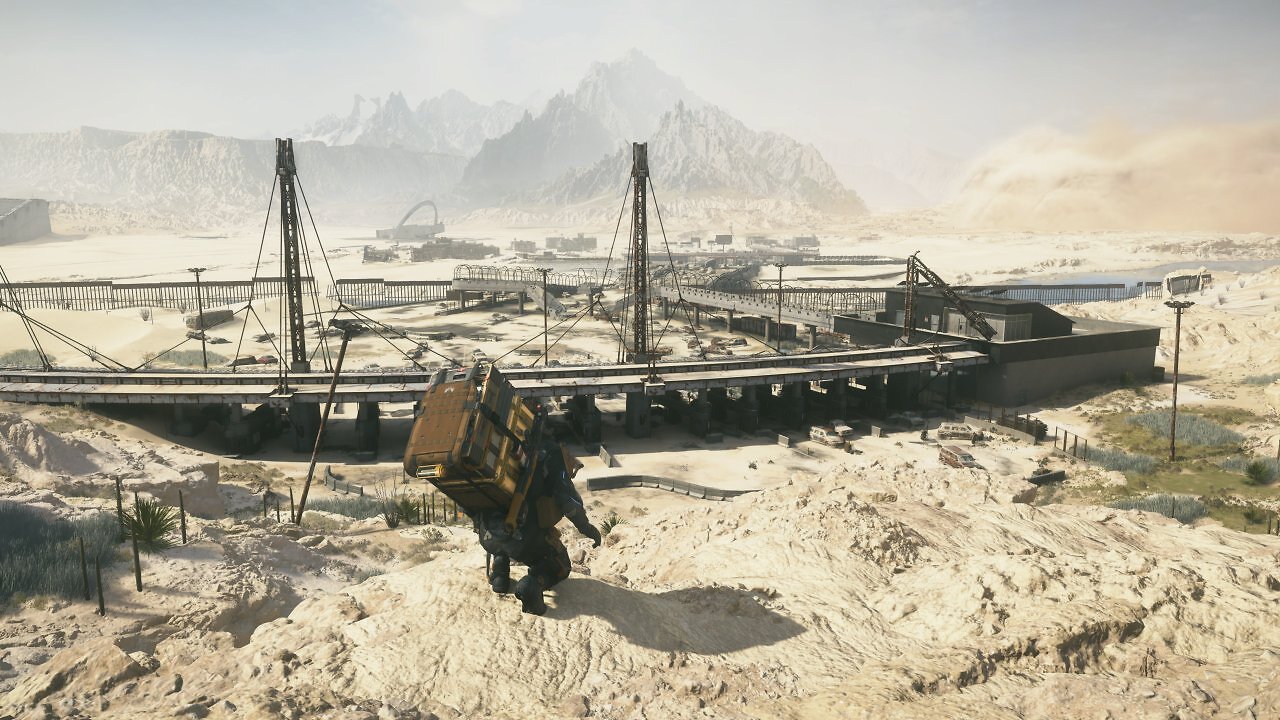
The differences between FSR 3.1.5—which has been used by default as the upscaling method in Death Stranding 2 with RDNA 3 so far—are clearly visible: Many intricate elements—such as the fence in the center-right of the image, the curved steel struts over the concrete bridge in the center of the shot, the fine textures in the background, the vegetation, the details on Sam's backpack, and the small object—are rendered significantly better and much more consistently with FSR 4.1.1 than with FSR 3.1.5. But what about the differences between FSR 4.1.1 Int8 on the RX 7800 XT and the "full-fledged" FSR 4.1.1 FP8 on the RX 9070 XT? It's hard to spot any differences here. Even in Full HD and with sharper upscaling settings like FSR Balanced (58 % resolution scaling) and FSR Performance (50 % resolution scaling), differences between the RDNA 3 variant and the "full" RDNA 4 version with floating-point precision are barely noticeable in this example.
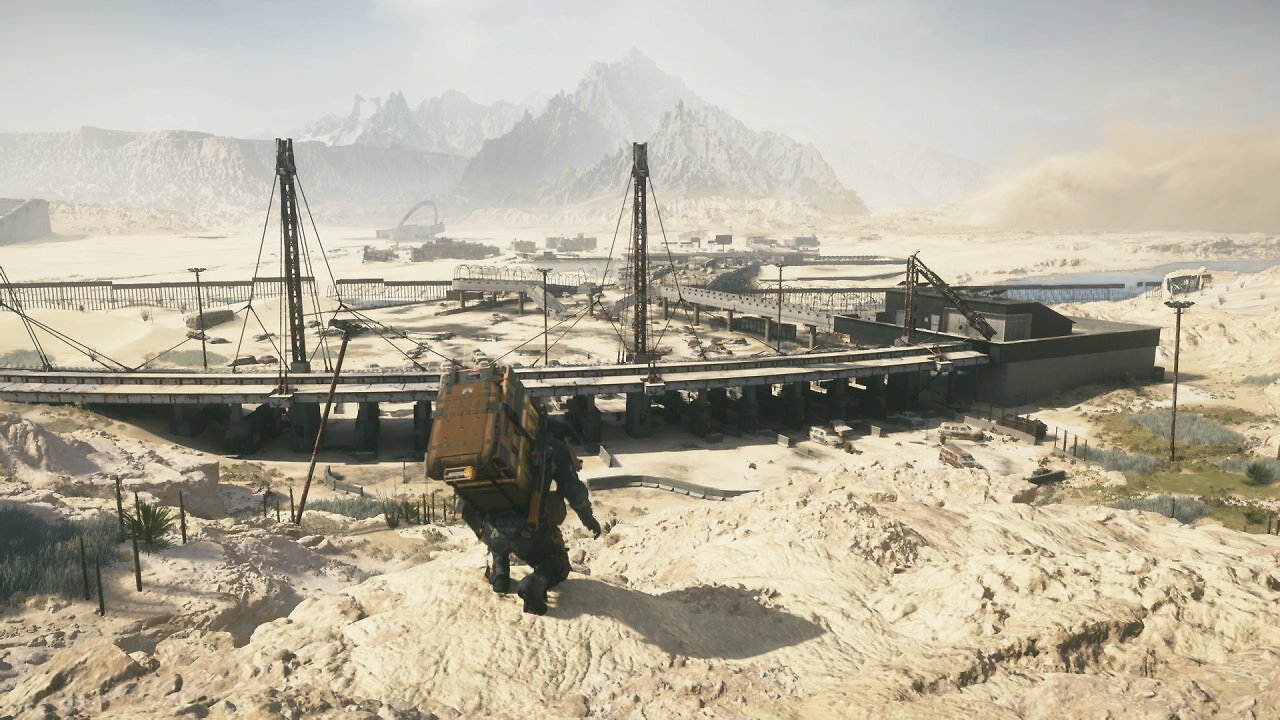
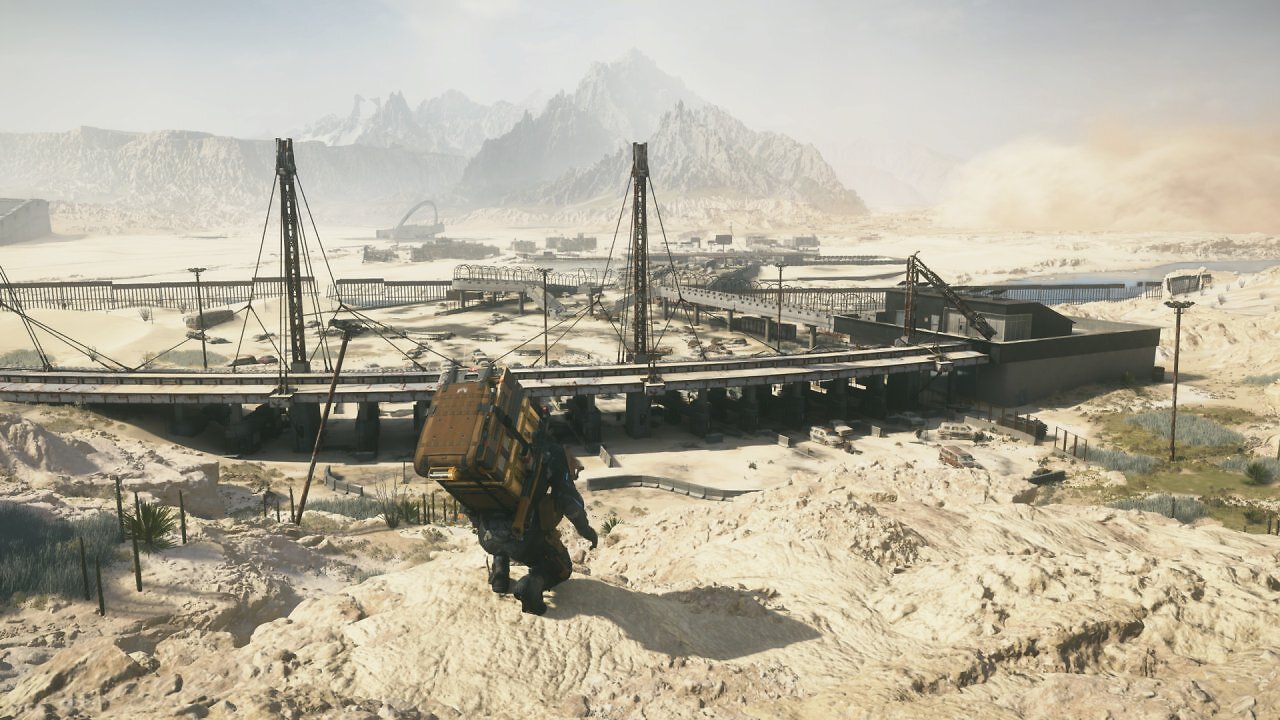
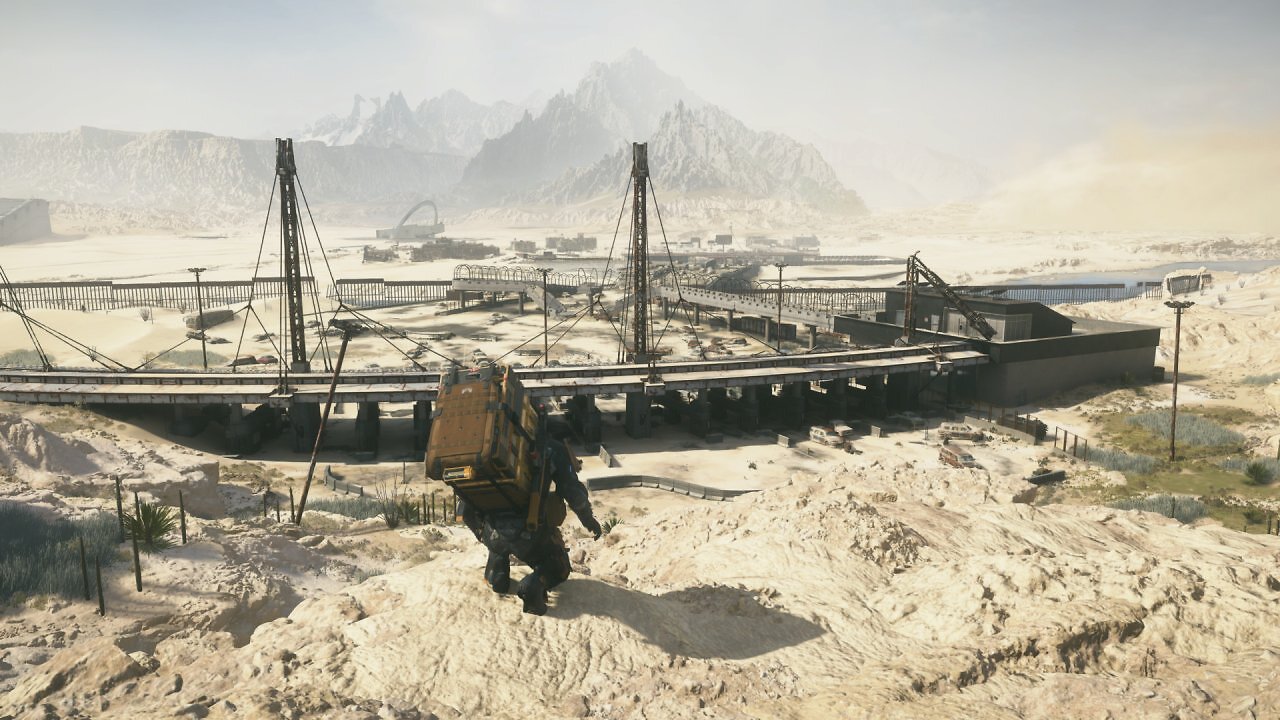
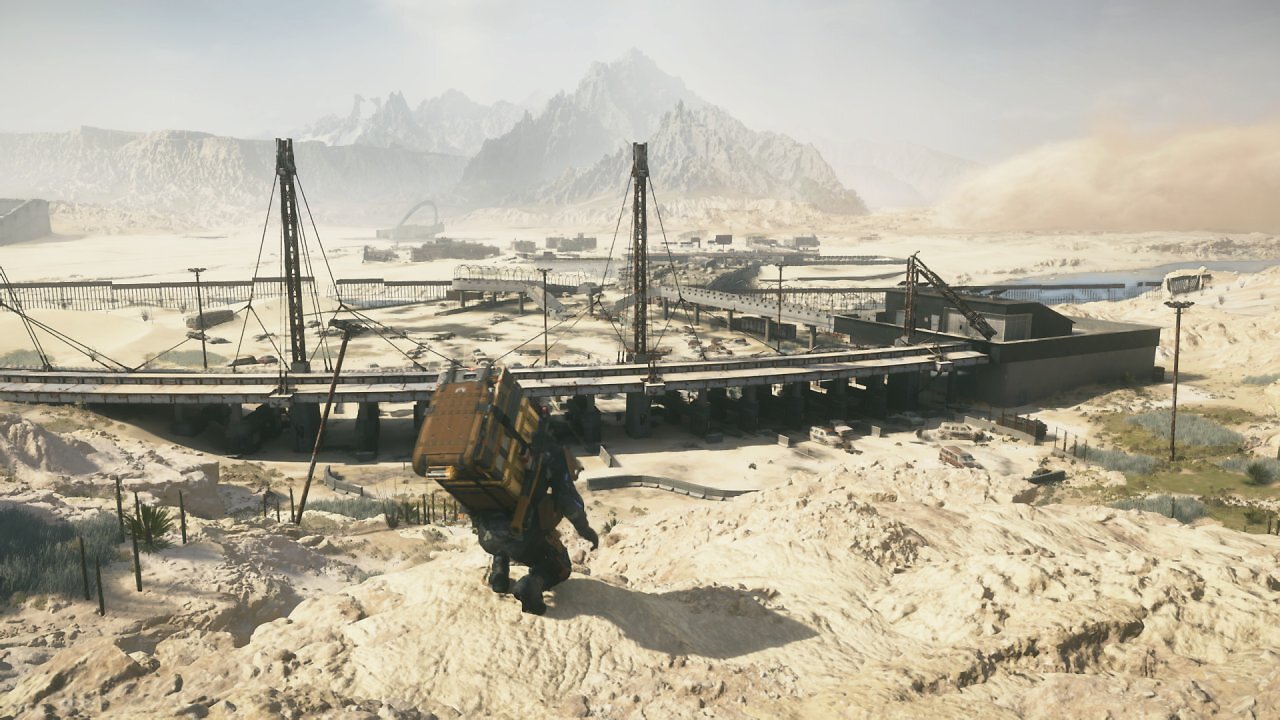
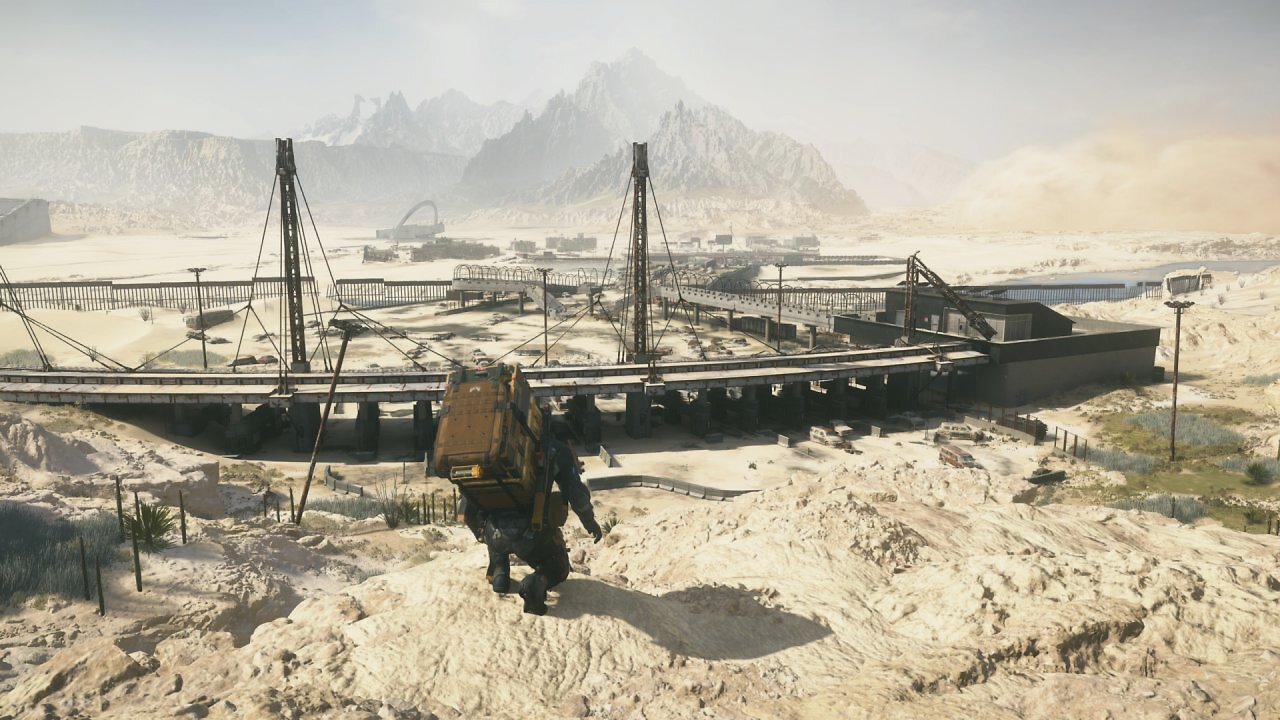
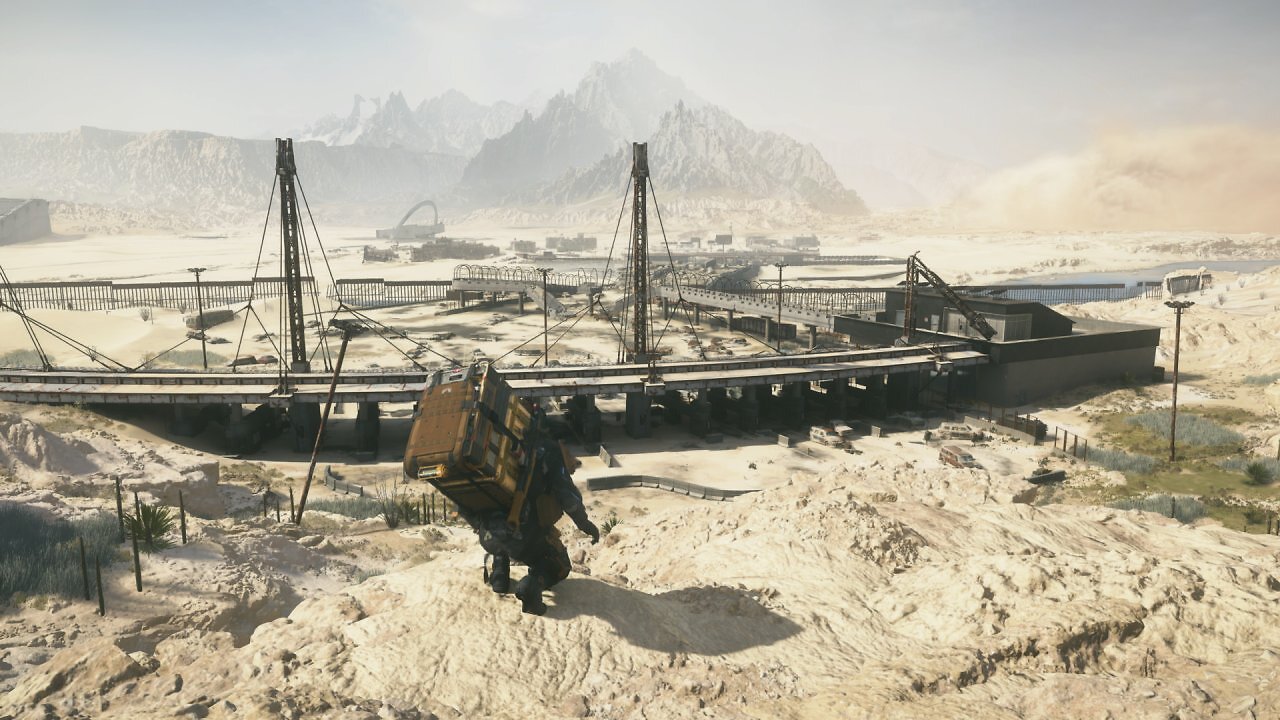
This is definitely a positive development and yet another improvement over FSR 4.0.2c Int8, which could already be integrated into games using Optiscaler. Apparently, AMD has been able to incorporate optimizations into the Int8 variant of FSR 4.1.1 that improve the visual quality. While FSR 4.0.2c was already significantly superior to the standard FSR 3.1.5, the unofficially usable FSR 4.0.2c still showed slight compromises compared to the full-fledged RDNA-4 variant. At least in Death Stranding 2, this is no longer as clearly visible. In fact, it's very difficult to visually distinguish between the two FSR 4.1.1 versions.

We've chosen Forza Horizon 6 as our next image comparison candidate. This racing game also features many fine details, including power lines, intricate vegetation, and high-resolution textures, and—despite using temporal anti-aliasing—delivers a crisp, rather sharp visual presentation since the TAA update in Forza Horizon 5. In Forza Horizon 6, FSR 4 makes a first-class impression; FSR 3 is once again significantly outperformed. FSR 4.1.1 offers much greater image stability and higher image clarity and—in particular—preserves fine details, particles, and vegetation far better than FSR 3.1.5.
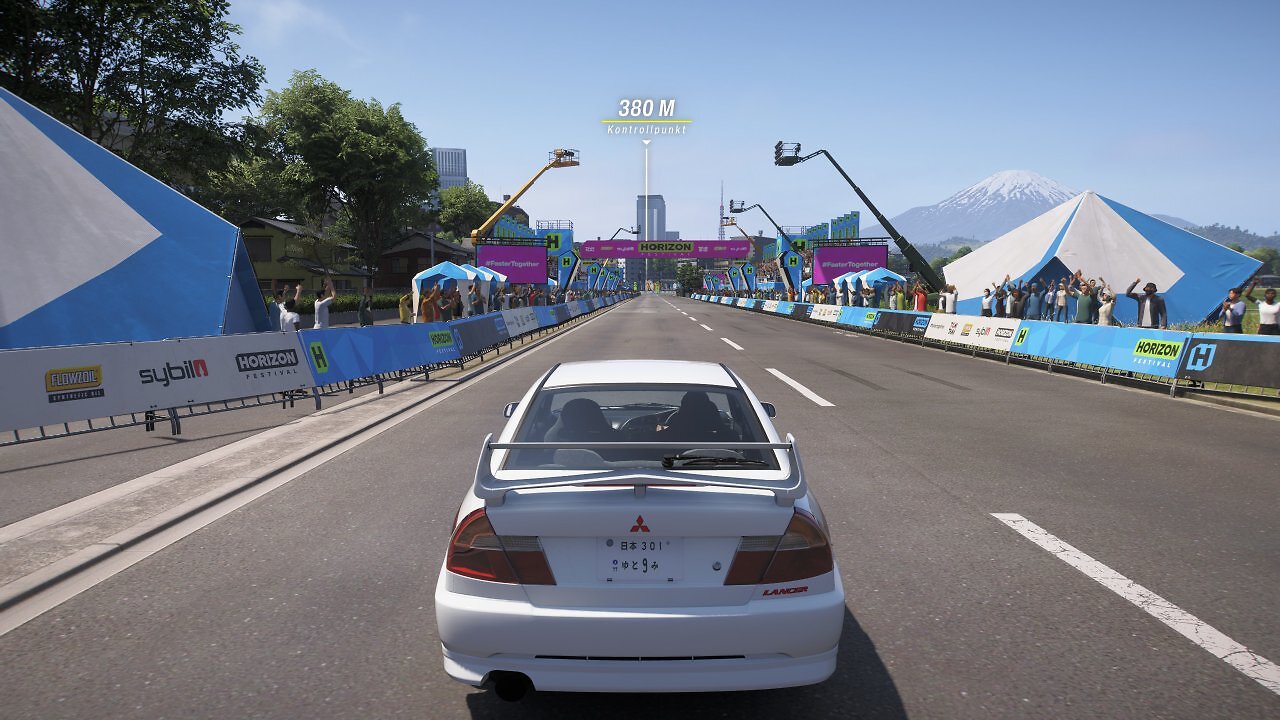
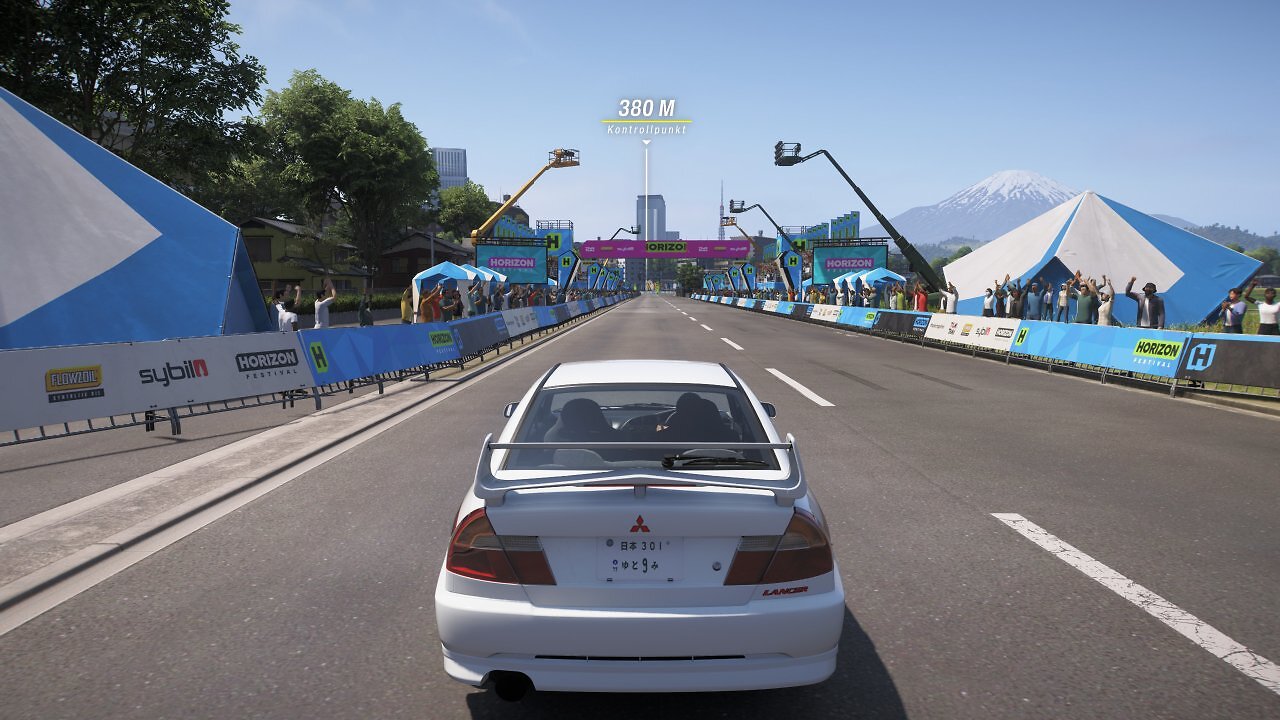
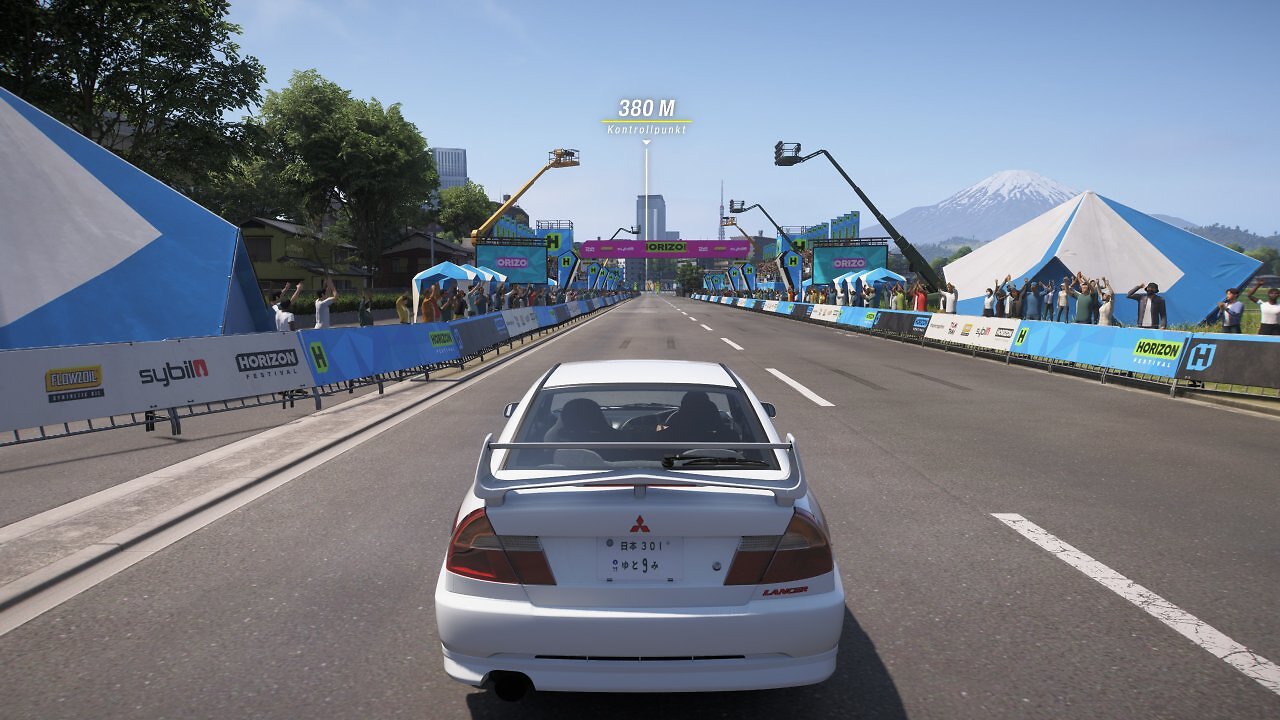
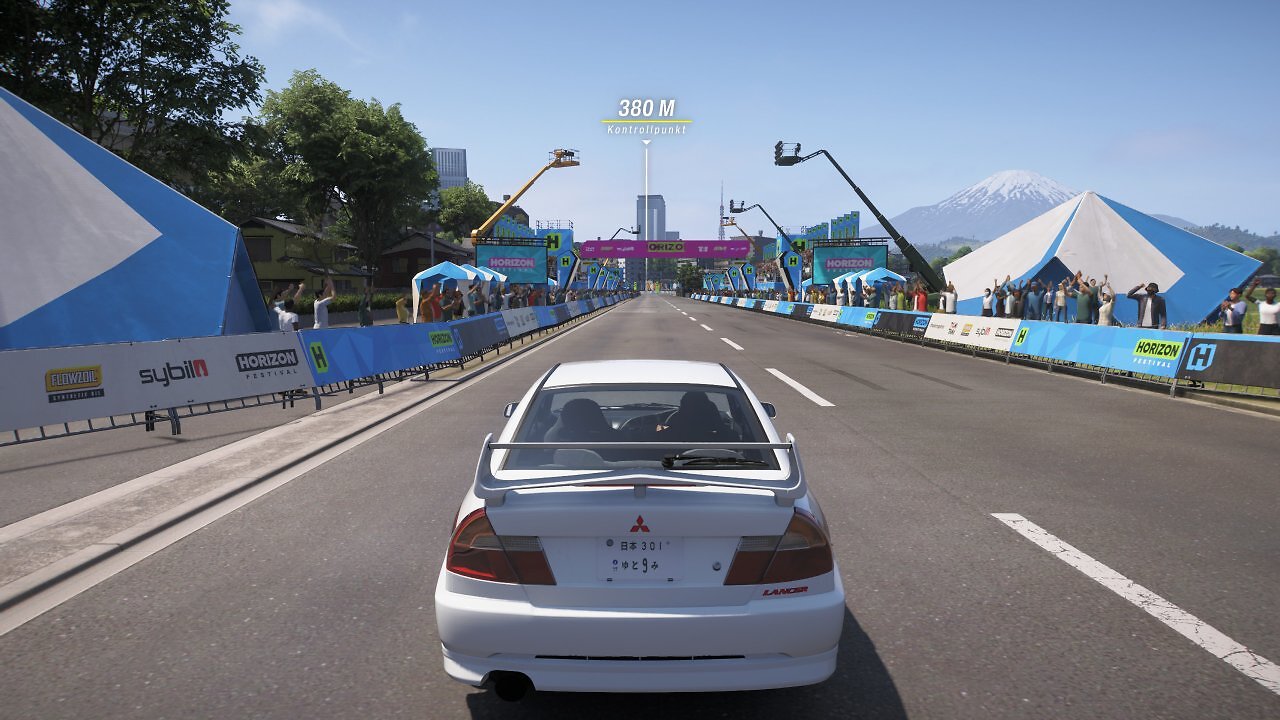
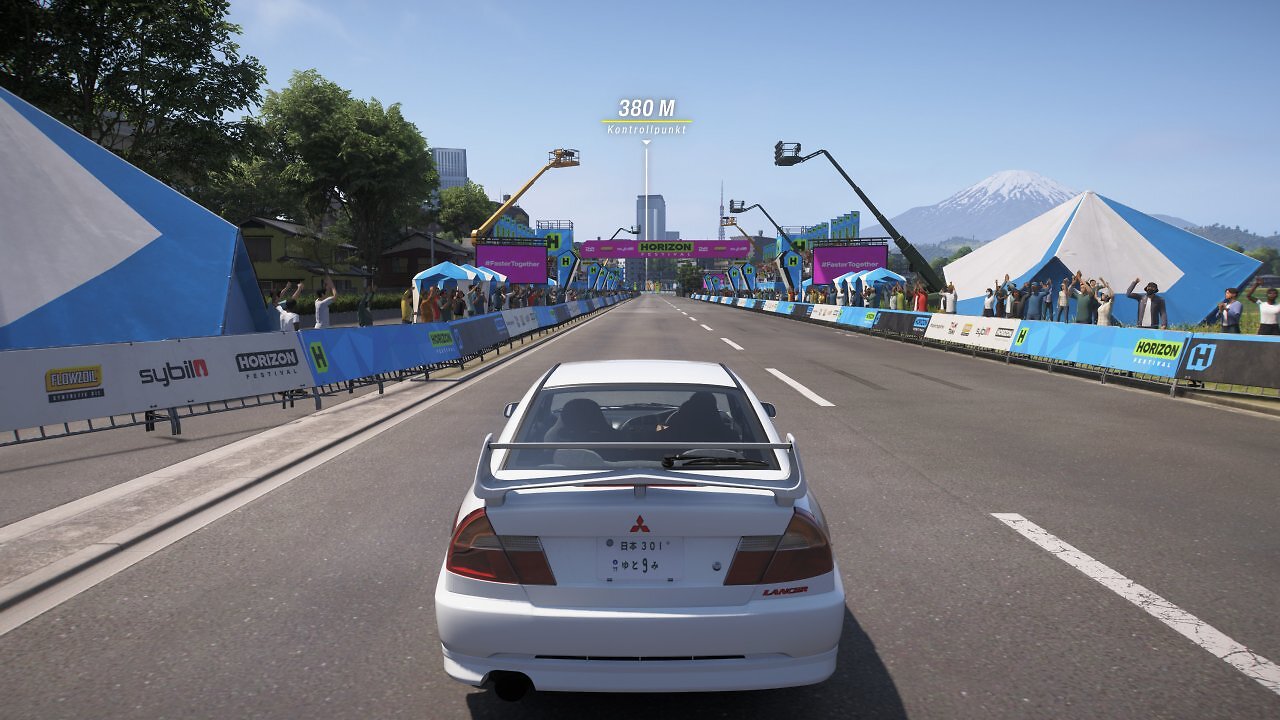
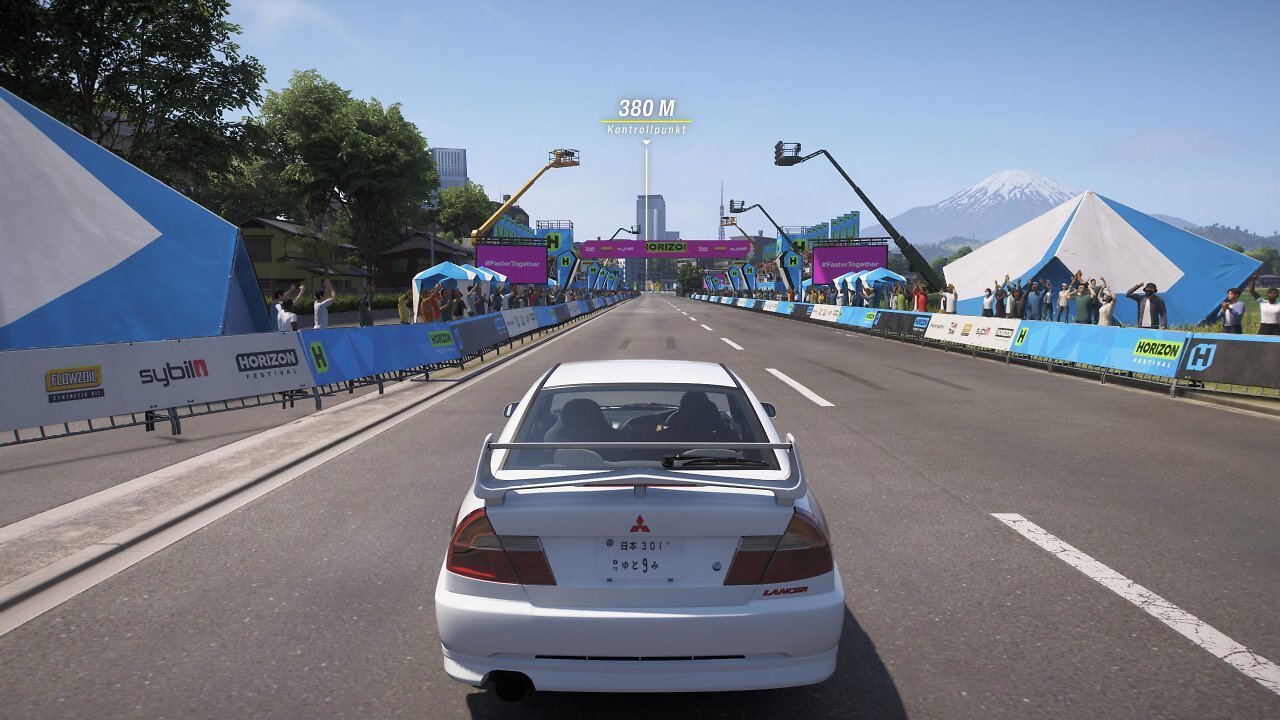
Once again, it is very difficult to spot differences between FP8 and the stripped-down Int8 model. In a WQHD comparison with native display or quality upscaling, only extremely minor differences are noticeable; the FP8 model appears marginally superior with some very fine details—but even trained eyes have a hard time spotting clear differences. In Full HD and when using sharper upscaling levels, it's a little easier to see differences between RDNA-3 FSR 4.1.1 and the RDNA-4 version:
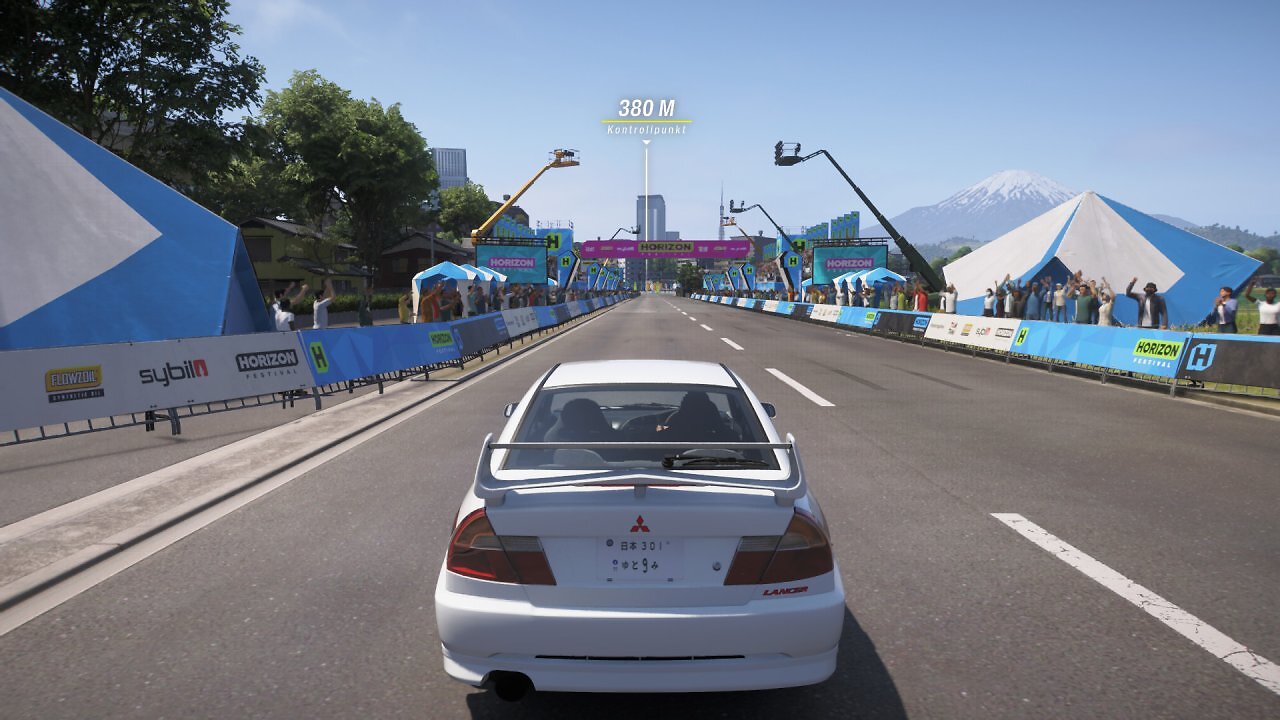
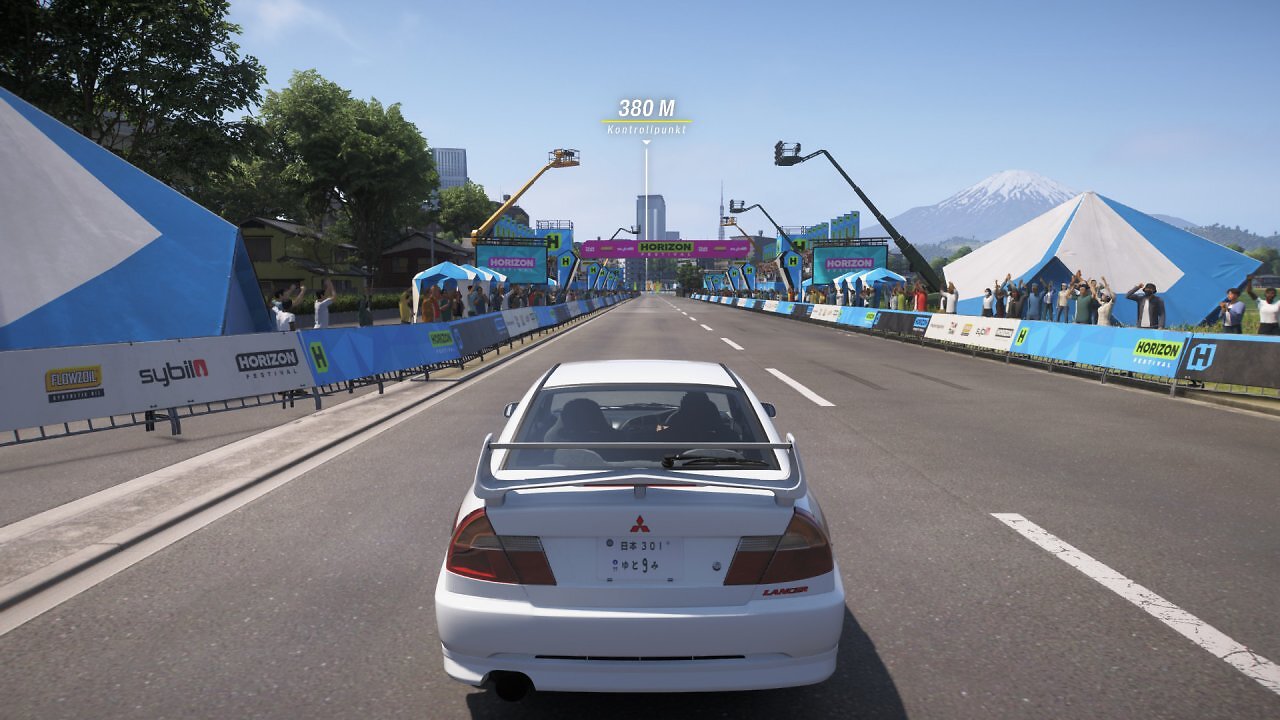
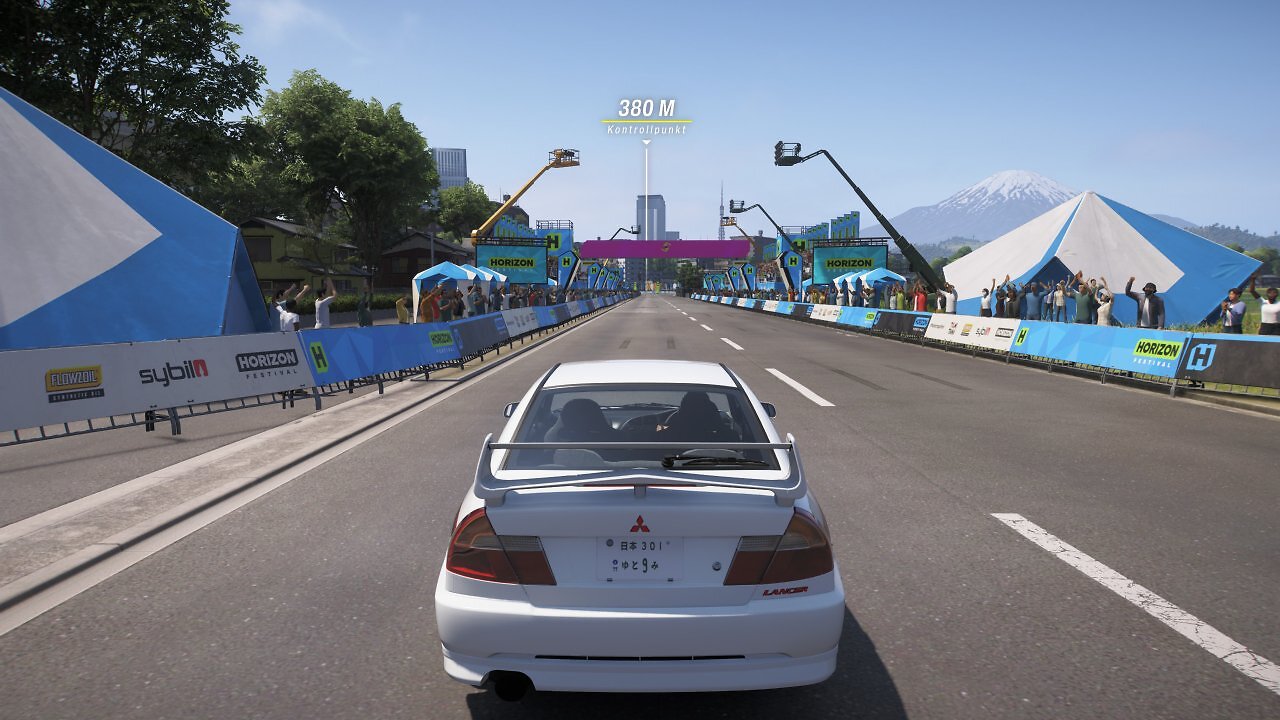
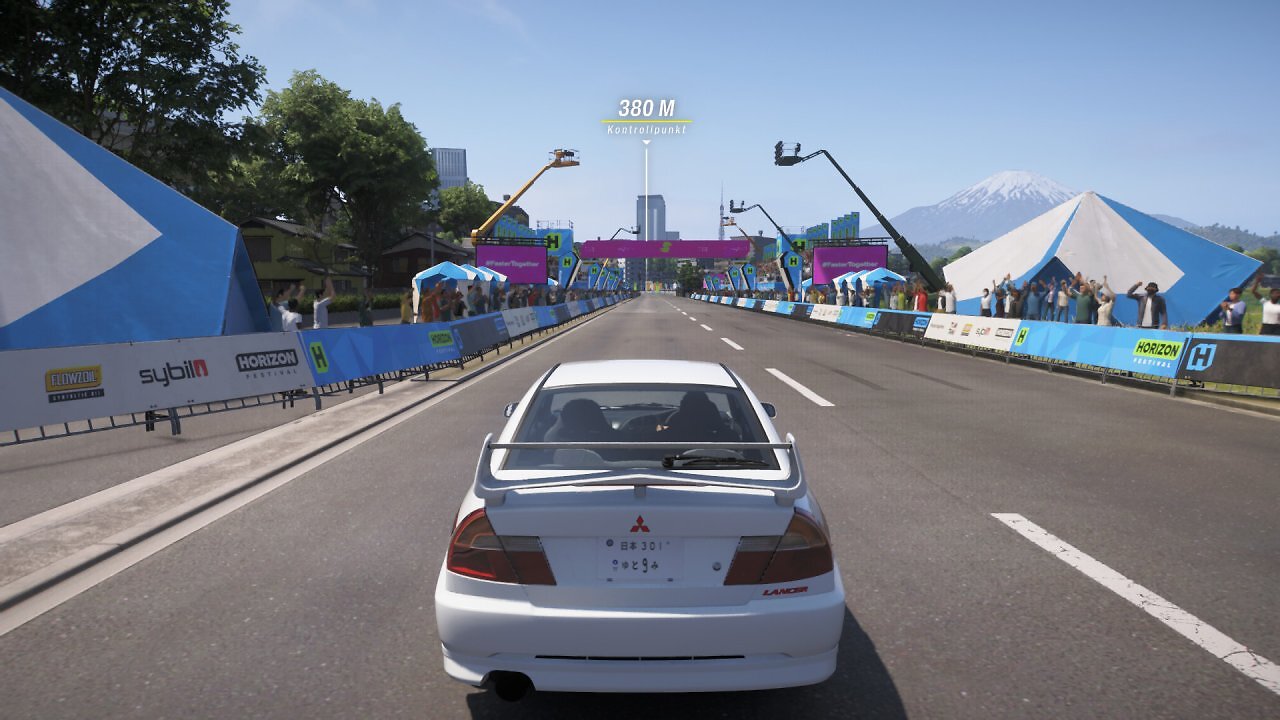
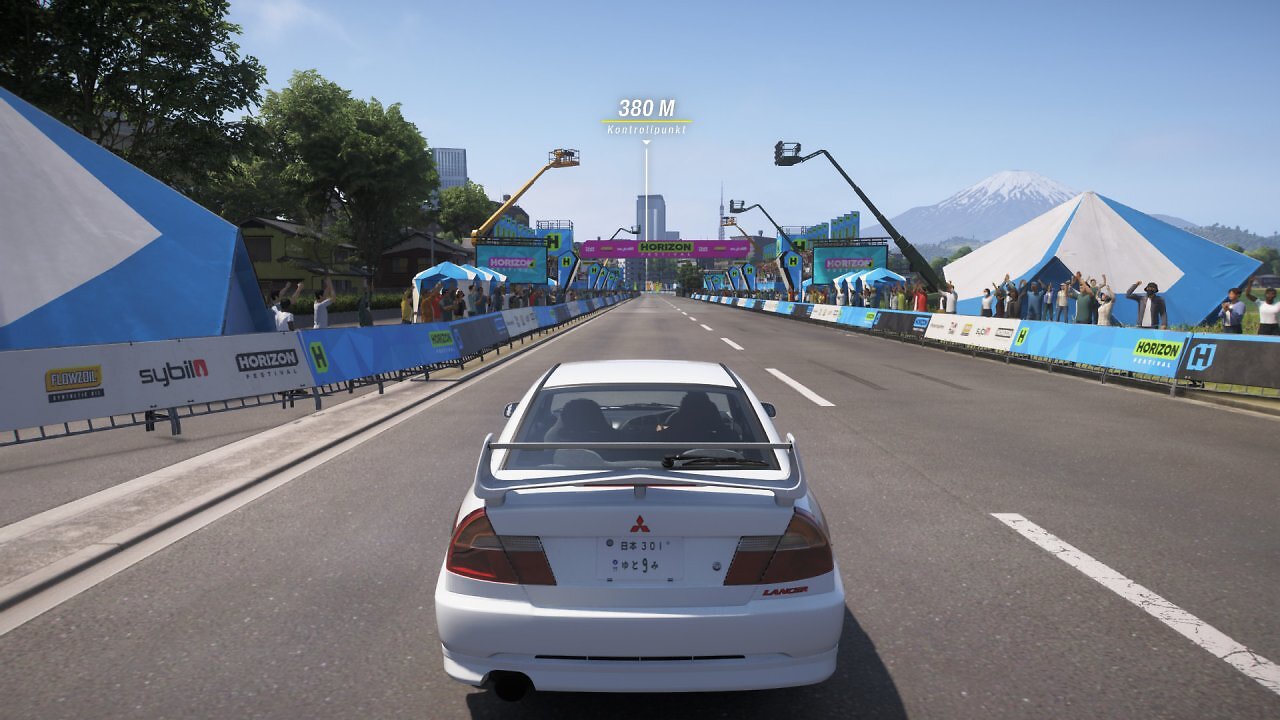
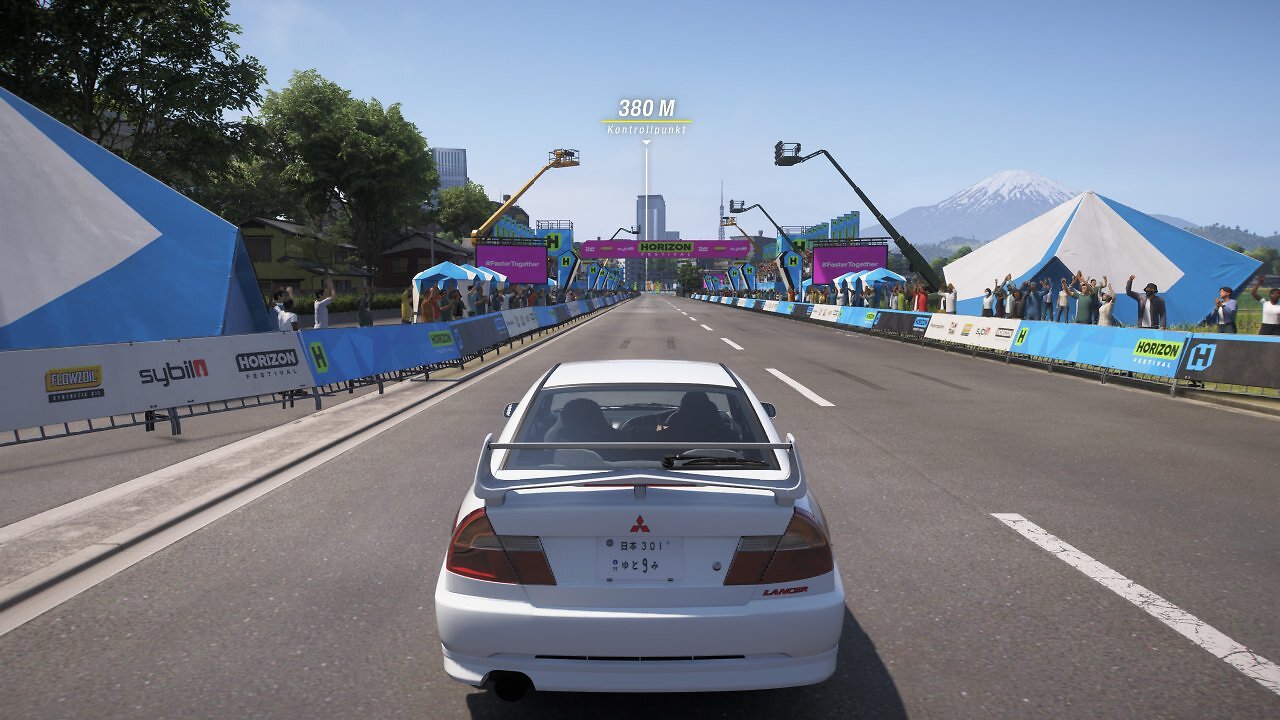
For example, the two methods appear to use slightly different settings for the texture MIP bias. Take a look at the white road markings. Fine details, including the posts along the road edges and the cranes, are smoothed and reconstructed more effectively with the RDNA 4 version of FSR 4.1.1. The edges of our vehicle's rear window, the edges of the tents, the text on the flags in the background, and the vegetation—including its contrasts and shading—are also rendered more cleanly with the FP8 variant. The shader for indirect shading and lighting differs slightly between FSR 4.1.1 Int8 and FSR 4.1.1 FP8—visible beneath our vehicle's spoiler, which is also slightly better smoothed with FP8. The interior is also rendered and smoothed slightly differently through the transparent glass pane. But generally speaking, in Forza Horizon 6, the differences are only relatively clearly visible in Full HD and at higher upsampling levels, and both versions of FSR 4.1.1 are far superior to the standard FSR 3.1.5.
Our next example is the Gothic Remake (PCGH Tech Test). Even on RDNA 4-generation Radeon cards, this game offers only FSR 3.1.4. We therefore make use of the driver-side conversion to FSR 4.1.1, and once again, this is clearly superior. FSR 4 offers significantly higher image stability, a much cleaner image with fewer artifacts, significantly fewer smearing and ghosting artifacts, and less graininess, crumpling, and flickering—in short: undeniably better image quality. AMD's latest upscaling isn't entirely free of artifacts either—not even with RDNA 4 and full FP8 mode—but compared to FSR 3(.1), the AI-powered FSR 4 is miles ahead in terms of image quality.
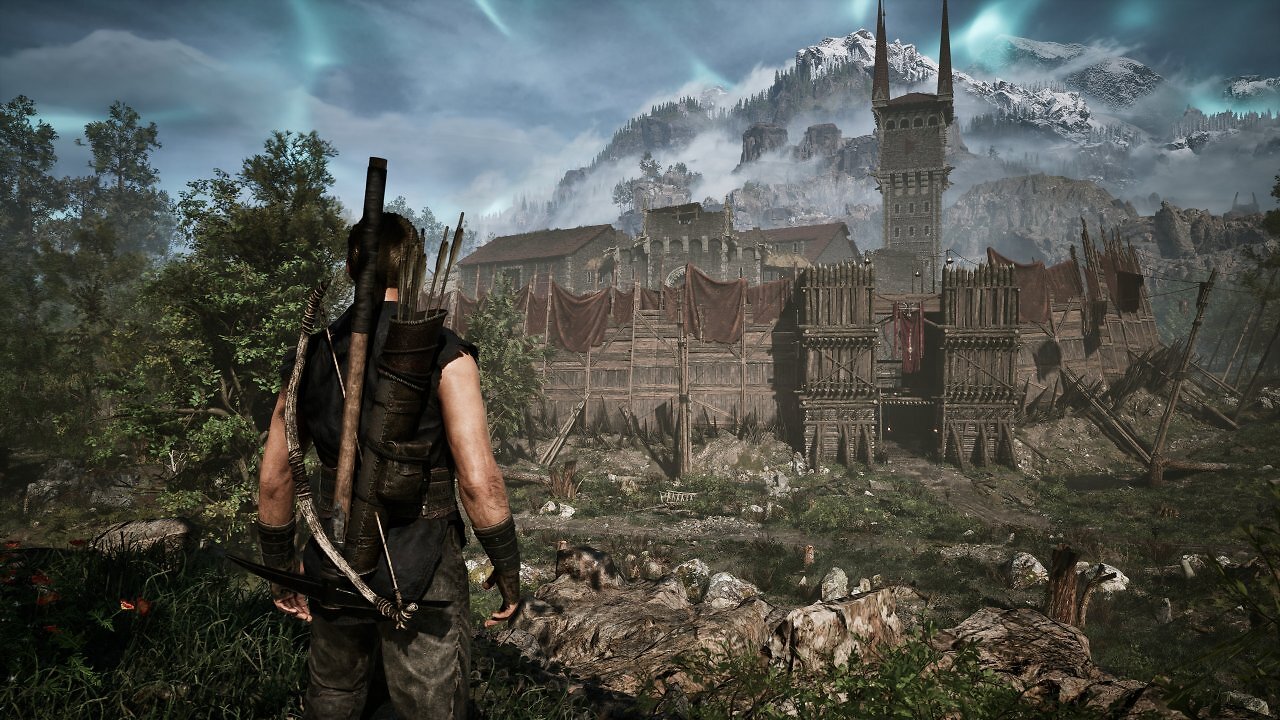
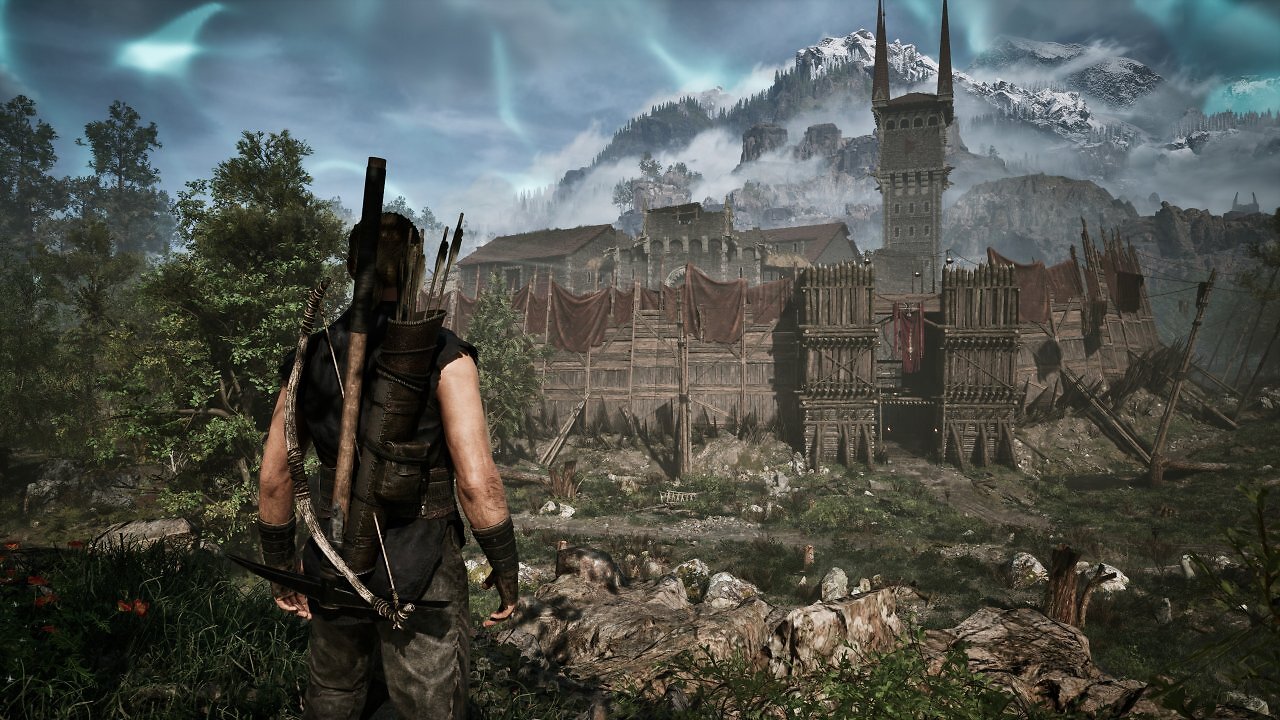
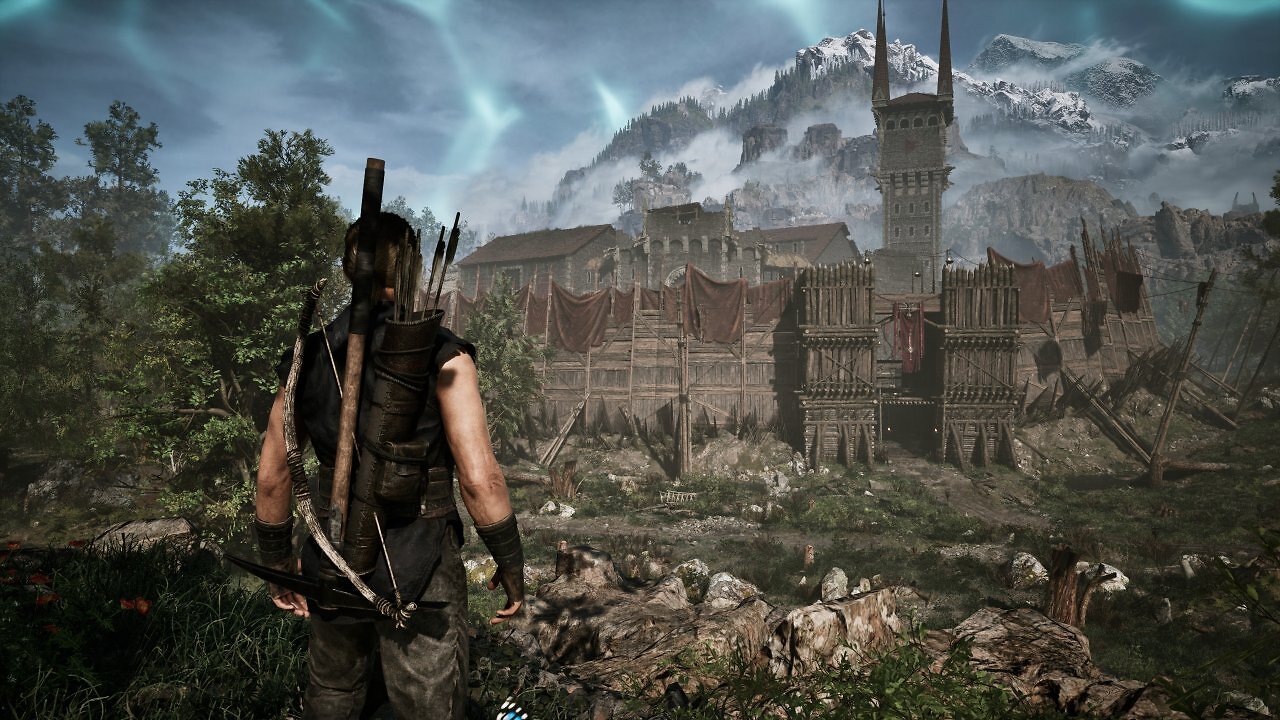
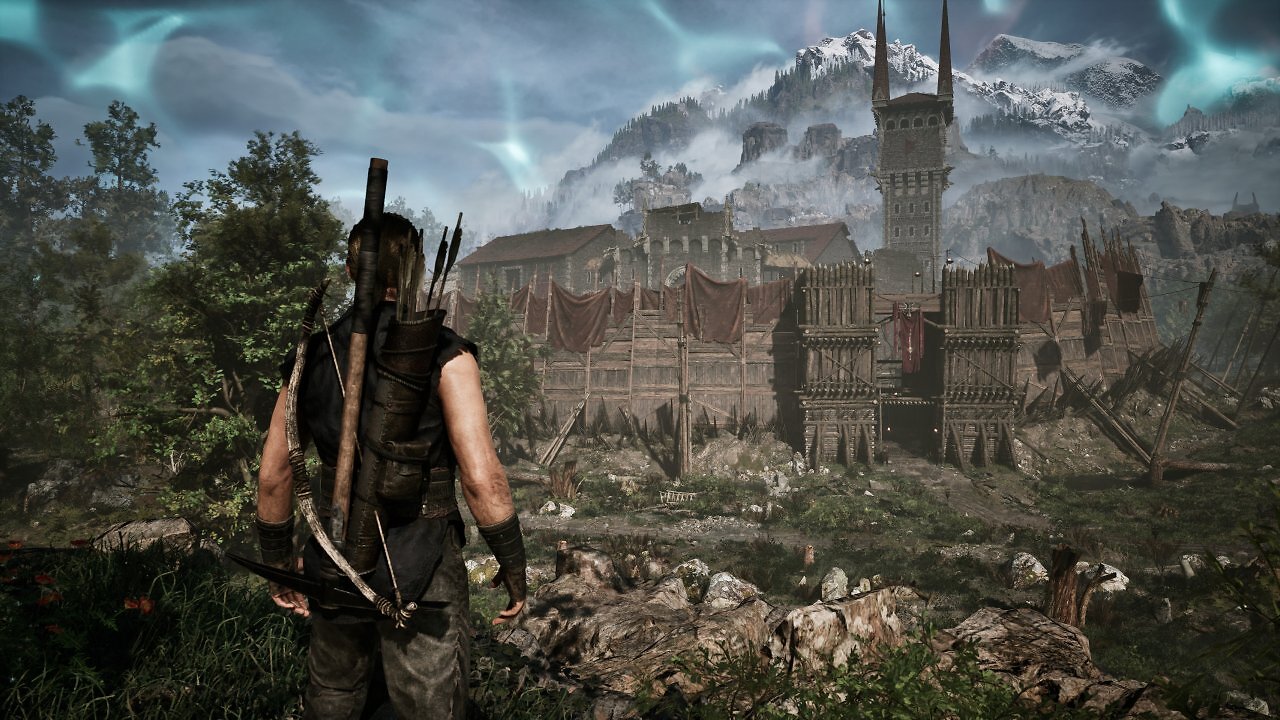
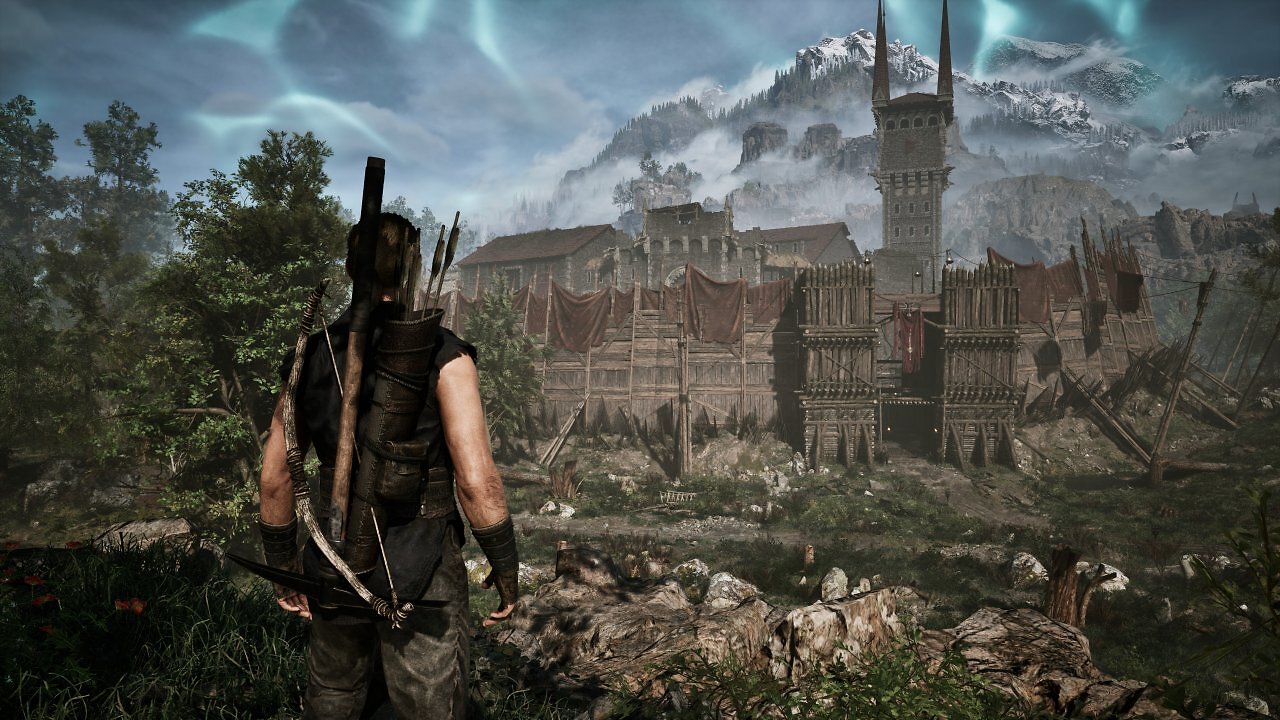
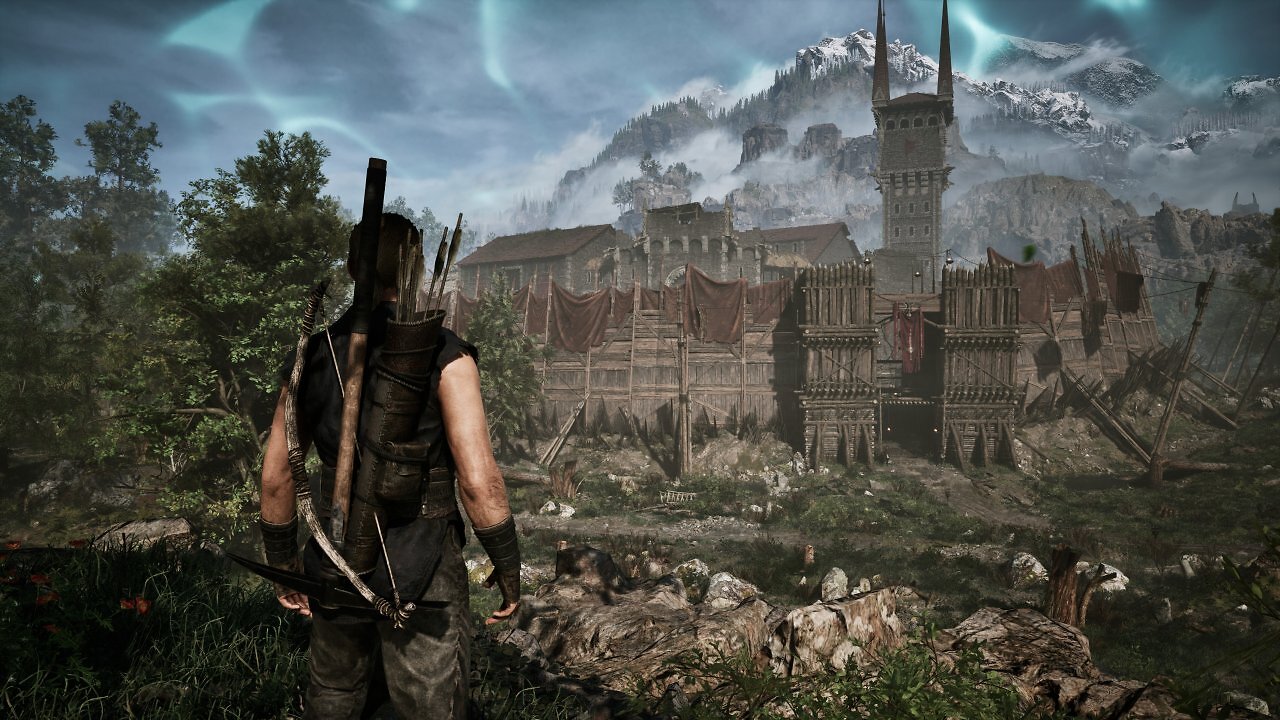
This also applies to Int8 and FSR 4.1.1 on RDNA 3. Once again, it's very difficult to spot any noticeable visual differences between the models at WQHD resolution using native FSR or the Quality mode. The finest details appear slightly cleaner and sharper when using the full model; for example, the wood textures look a tiny bit sharper and clearer with FSR 4 FP8. The vegetation also looks a hint cleaner with FP8 when FSR 4 is rendered on the RDNA 4 graphics card. However, even in Gothic, the differences at WQHD resolution and with native FSR as well as quality upscaling are so minor that even trained eyes would hardly notice them. And even in Full HD and with upscaling set to the "Balanced" and "Performance" levels, FSR 4 Int8 is barely inferior to the FP8 model.
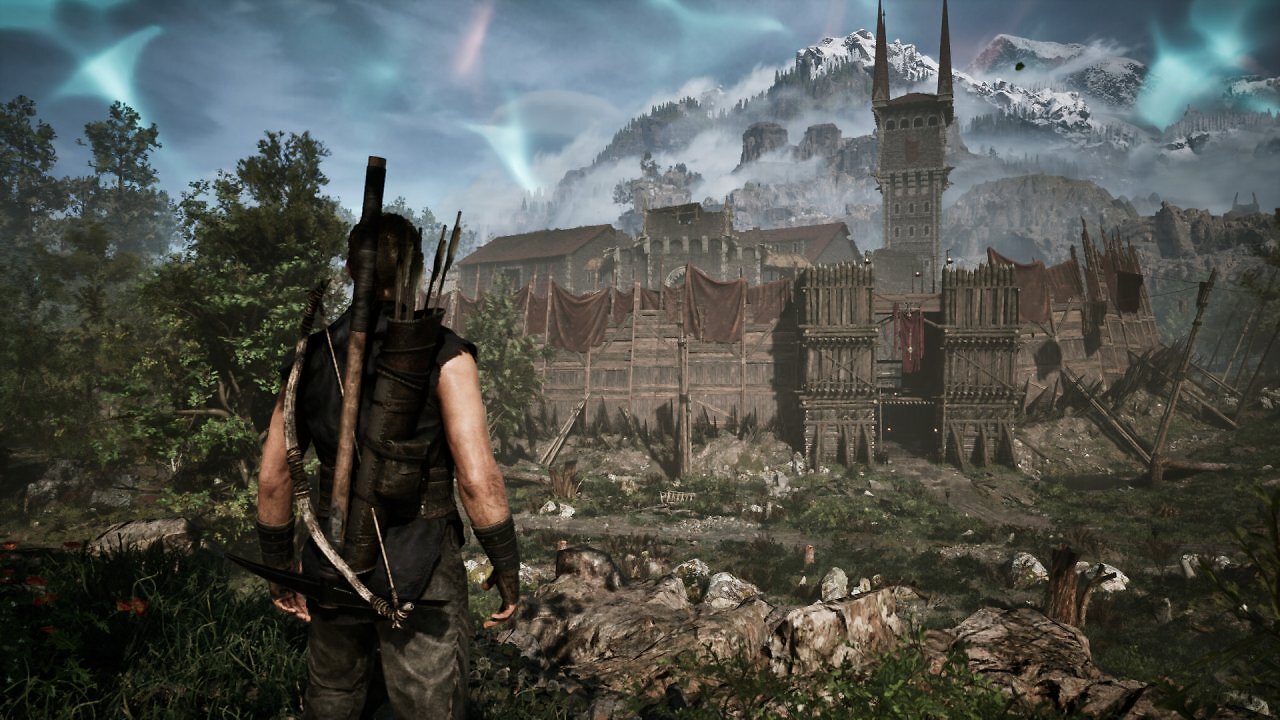
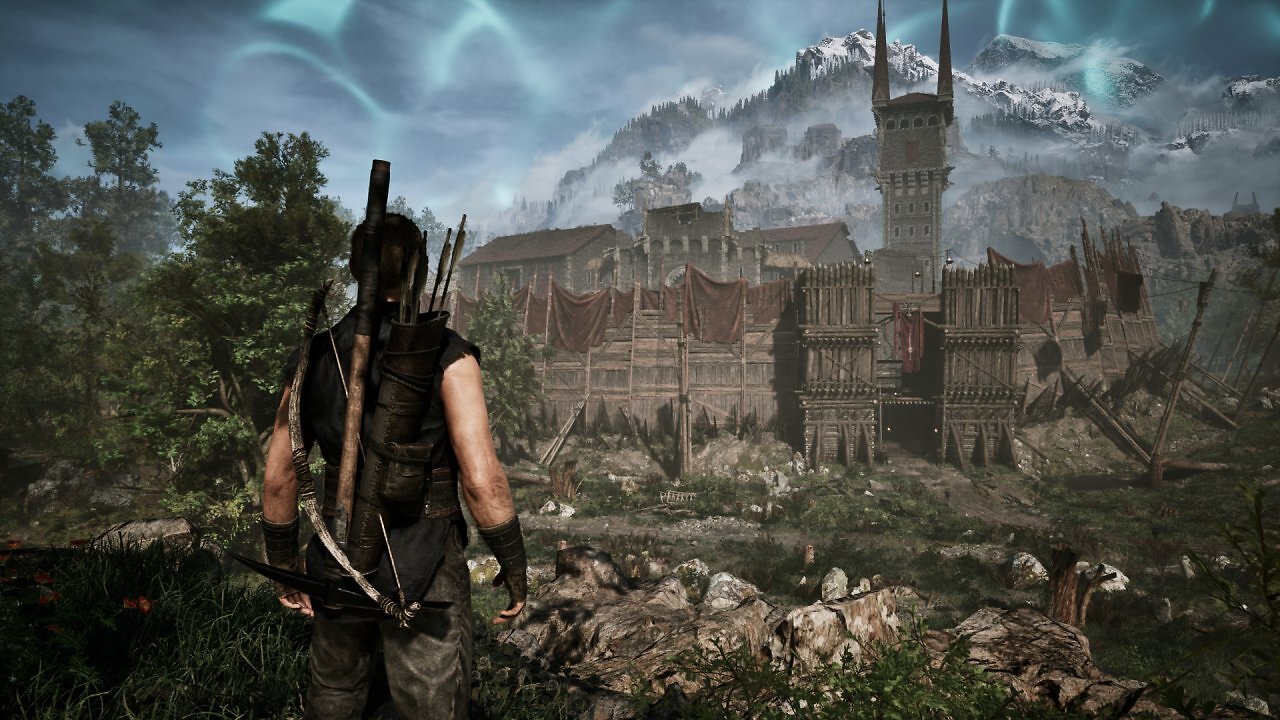
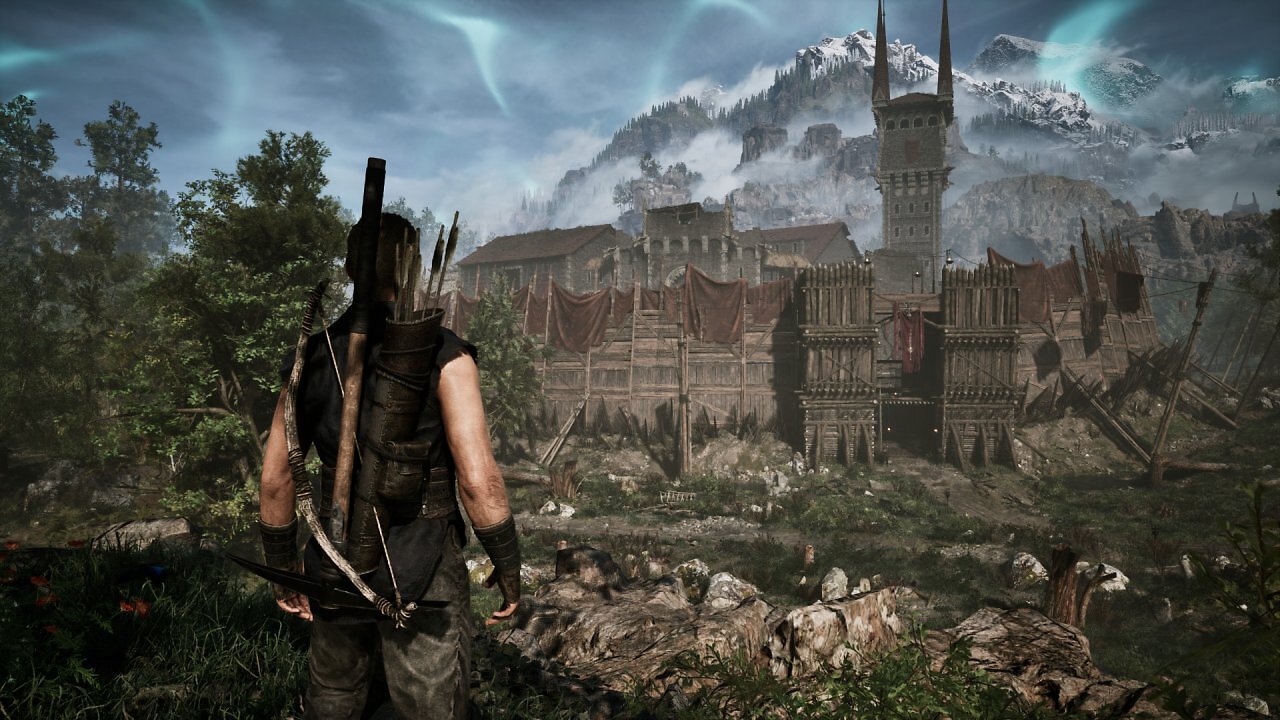
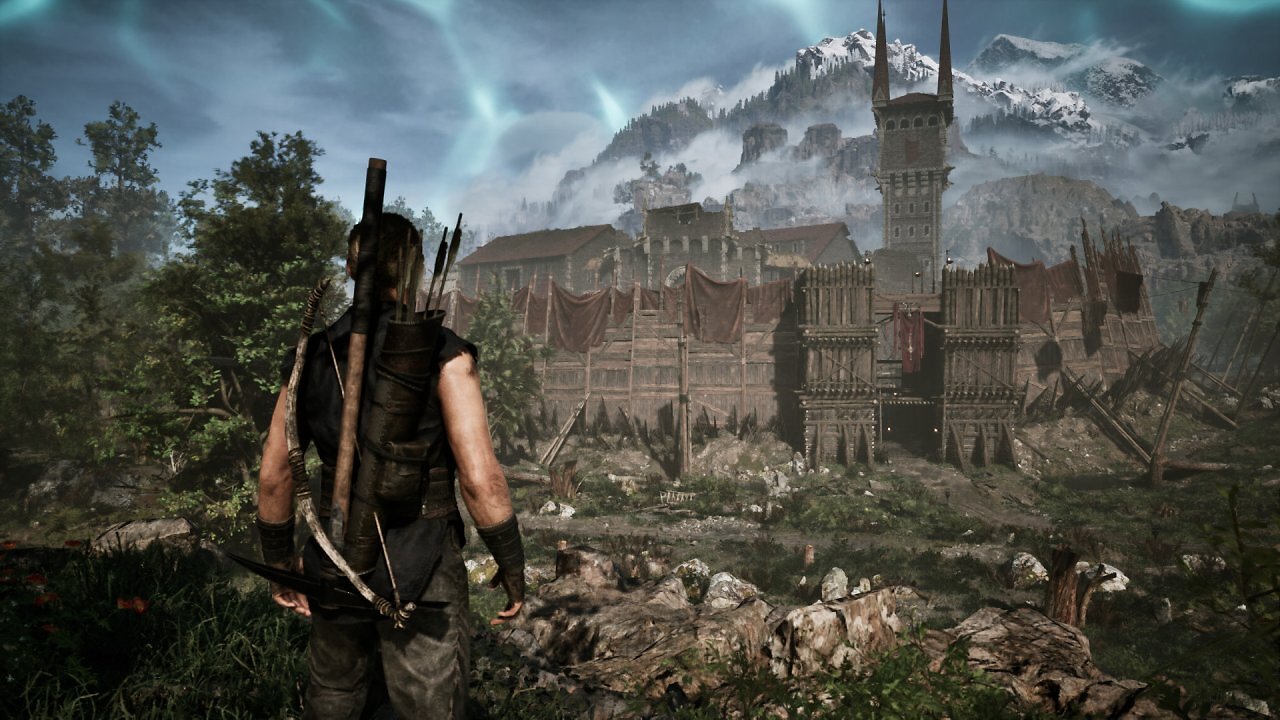
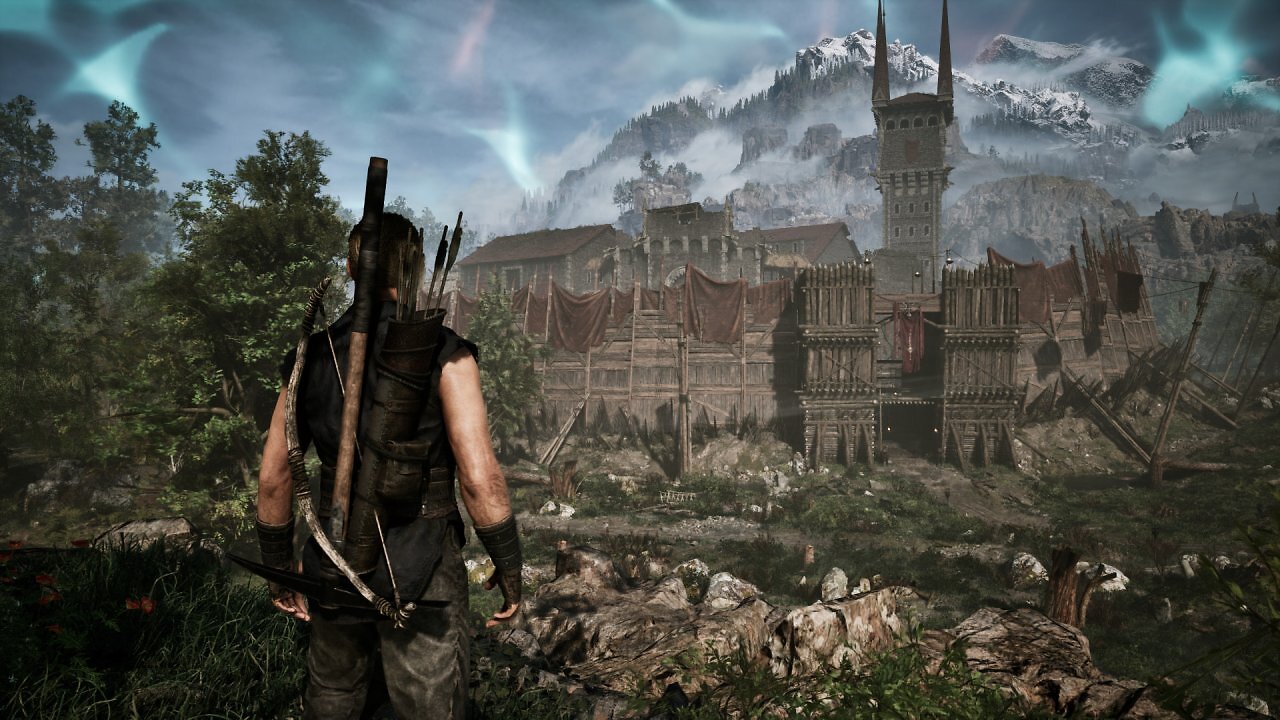
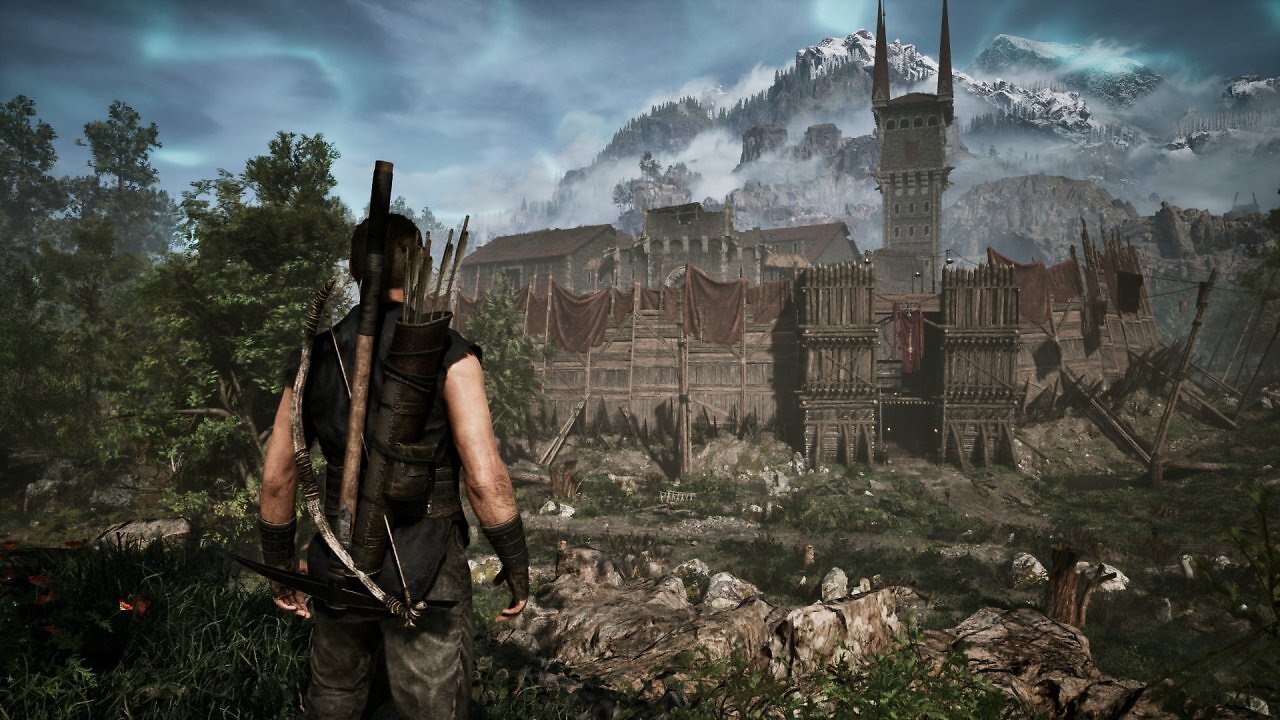
Here and there, slight differences in MIP bias can once again be observed. For example, in the clay texture in front of the entrance to the Old Warehouse, around the windows on the tower in the background, or on some of the wooden surfaces. The finest details, such as the vegetation, appear once again a tad finer and more stable with RDNA 4 FSR 4. The contrasts—including those in the shadows—appear slightly richer with FP8, but overall, the visual differences between FSR 4 on RDNA 3 and FSR 4 on RDNA 4 are hardly worth mentioning. On the following page, we'll look at a few more examples of image quality before moving on to the question of performance costs and our benchmarks.