
Palworld Has a Technical Problem: LOD Detail
Version 1.0 may show more of the world, but not consistently at a higher quality. Some details have been improved, while others are simply culled earlier.
Inhaltsverzeichnis
Regression ist keine Optimierung
In Unreal Engine 5.1, traditional LODs do not follow a single universal rule. Their transition points and draw distances depend on the individual model and its internal parameters. As a result, a gigantic tower may retain plenty of detail from several kilometers away, while a much closer rock has already collapsed into a crude polygon block. Without modern use of Nanite, Pocketpair has to fine-tune these rules across thousands of assets. It is a Sisyphean task of the kind that was common with UE4, even with automatically generated LOD stages. This is hardly surprising, as Palworld began development in Unreal Engine 4. In that sense, its rendering is a historical relic.
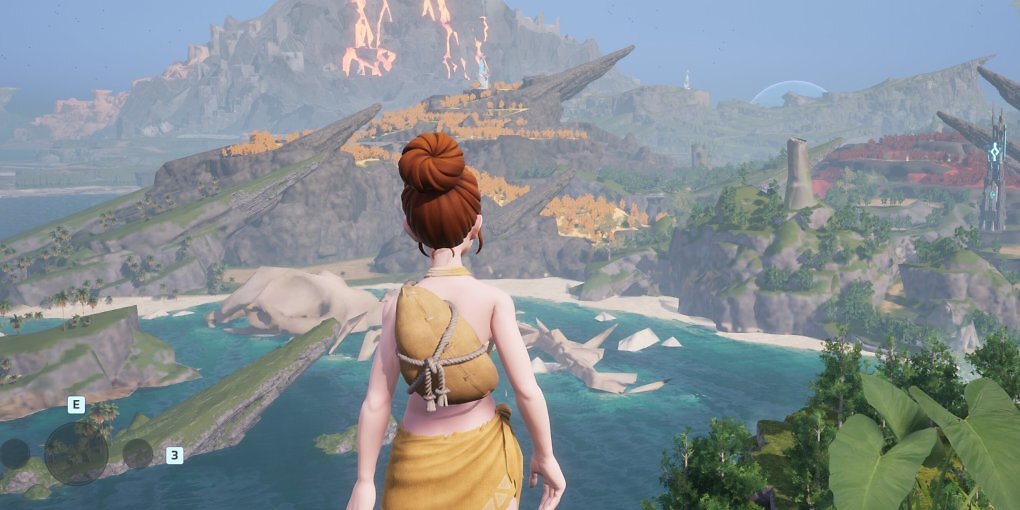
A look across the game world quickly reveals where that manual work, even with automated assistance, has succeeded and where it has not. Naturally, better performance may come at the cost of some image quality, since the game is meant to run smoothly on as wide a range of hardware as possible. But when objects turn into crude blocks sooner and vegetation disappears earlier, with no option to adjust this in the graphics menu, that is primarily less visual quality and less user control. It is not better technology, let alone optimization.
 Source: PC Games Hardware
Not every scene in Palworld is rendered this crudely. Some views are crisp, sharp, and genuinely attractive. The starting area is less convincing.
The comparison between Palworld EA 0.1.2.0 and version 1.0.0 is somewhat contradictory in this respect. At first glance, version 1.0 looks much more vibrant, colorful, and modern. Some areas of the distant scenery look better today. The tall cliffs feature more geometry and appear more carefully modeled. Elsewhere, however, there are visible steps backward, as the volcano on the left shows. Pocketpair has also removed the fog that previously helped conceal these shortcomings. A clearer view sounds like a welcome improvement at first.
Source: PC Games Hardware
Not every scene in Palworld is rendered this crudely. Some views are crisp, sharp, and genuinely attractive. The starting area is less convincing.
The comparison between Palworld EA 0.1.2.0 and version 1.0.0 is somewhat contradictory in this respect. At first glance, version 1.0 looks much more vibrant, colorful, and modern. Some areas of the distant scenery look better today. The tall cliffs feature more geometry and appear more carefully modeled. Elsewhere, however, there are visible steps backward, as the volcano on the left shows. Pocketpair has also removed the fog that previously helped conceal these shortcomings. A clearer view sounds like a welcome improvement at first.
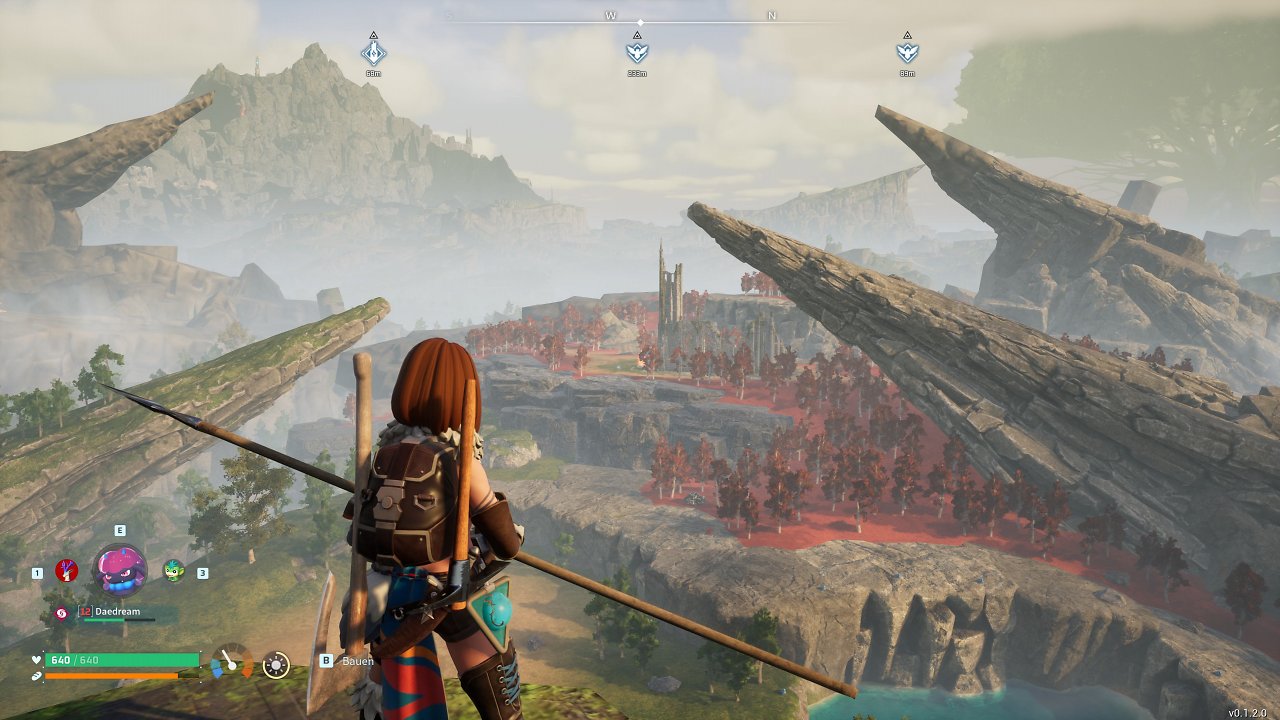
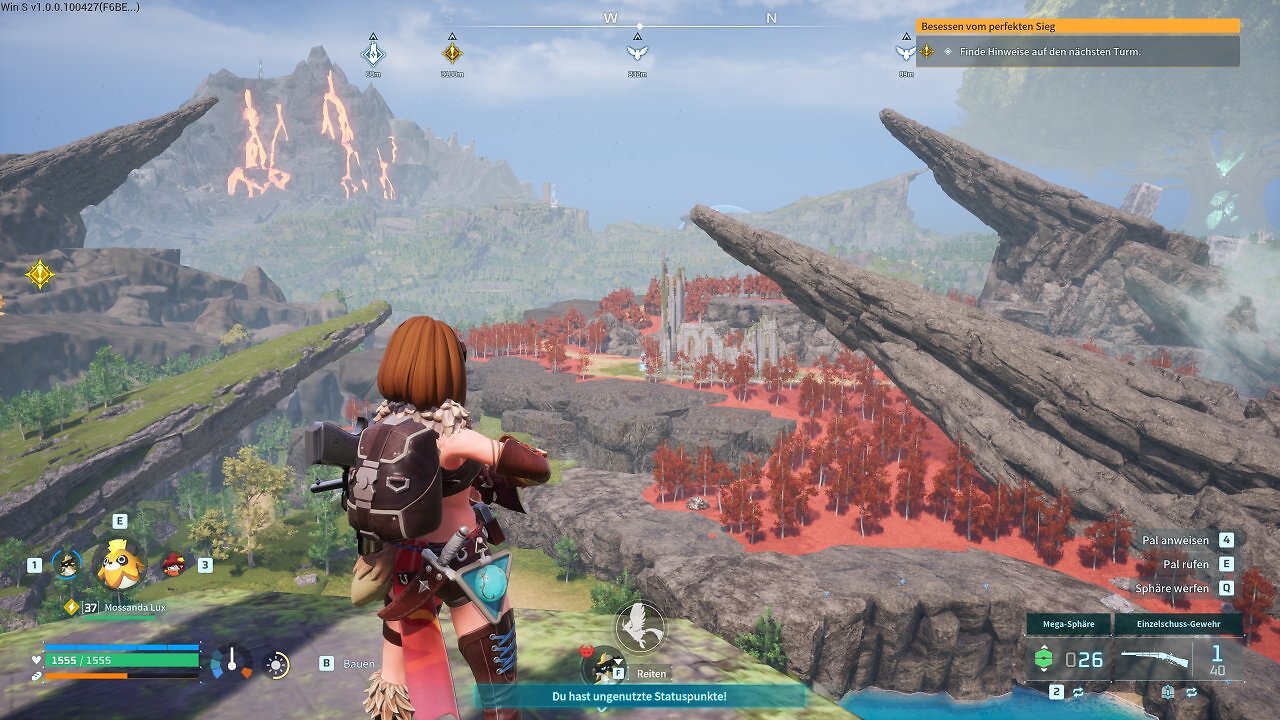
But what that clearer view reveals also needs to be worth seeing. Instead, some areas are covered in blurry textures and crude mesh mush that at least used to disappear into the haze, as seen around the center on the far left. The outright pixel soup affecting some models and textures makes the image look flatter than necessary, even from a performance and optimization perspective. In places, it ironically brings to mind Pokémon Scarlet and Violet on the Nintendo Switch. Too harsh? Perhaps. But it is the consequence of a deliberate development decision.
Mods to the Rescue?
When the Ultra preset has reached its limit, Unreal Engine games still offer one last option on PC: the Engine.ini file. Palworld 1.0 already has several tweaks that push draw distance, mesh LODs, vegetation, and shadow distance far beyond what the in-game menu allows. They help, if only slightly. Rocks retain their shape for longer, grass disappears later, and shadows no longer retreat at medium distances. With the right combination of mods, the concealing fog can also be restored and be more deliberately throughout the game.
 Source: PC Games Hardware
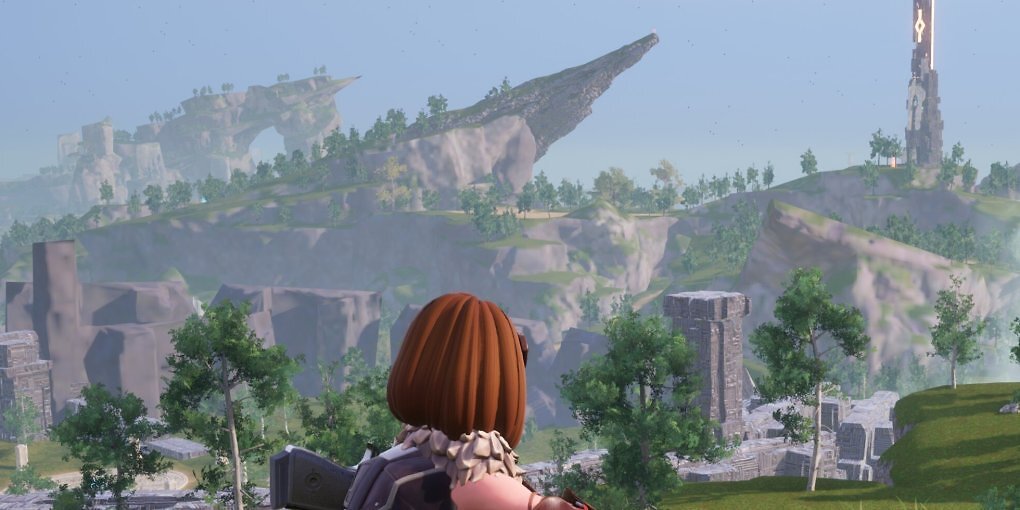
Palworld is, of course, capable of rendering vast distances. It simply distributes detail far more unevenly than other UE5 games. This is a consequence of its aging technical foundation and its alternative, "old-school" approach to LODs.
Source: PC Games Hardware
Palworld is, of course, capable of rendering vast distances. It simply distributes detail far more unevenly than other UE5 games. This is a consequence of its aging technical foundation and its alternative, "old-school" approach to LODs.
These settings do not work miracles. They merely delay the point at which Palworld switches to the cruder model or causes trees and static objects to pop into view abruptly. They cannot turn a poorly constructed LOD chain into a good one. Brute-forcing greater draw distances through the ini file is not ideal either. More geometry, vegetation, and shadows across the board increase the workload and require more memory. On a fast PC, these tweaks can make Palworld's presentation considerably less restless. It remains a treatment of the symptoms, but there is little more players can do.
The only real "fix" would be for developer Pocketpair to move to a modern engine branch in a future version 1.5 or even 2.0. If that is not possible, the reasoning behind it would be interesting to hear. Is the studio concerned about pushing the hardware requirements too far? Our questions remained unanswered by the editorial deadline.
"Who cares? The game still looks pretty"
Palworld thrives on its colors, its creatures, and its attractive panoramic views. In between, however, rocks look like papier-mâché props and trees only appear once you are almost close enough to shake hands with them. The game is fun, but a little more care on the technical side would not have hurt.
Palworld is great, but I wish more care had gone into the technical side. For just under €20, the overall package remains strong. Even so, I cannot join in with the lavish praise for its graphics that occasionally crops up on Reddit. For the next Palworld, I would gladly trade a few new Pals for rocks that do not immediately turn into potatoes in the distance. And that is without even getting into the other problems. Will Palworld fans lynch me for this? Probably. But I had to get it off my chest.