Oculus VR: Full-HD-Prototyp ausprobiert - Die Rettung für "willige" Aufrüster?
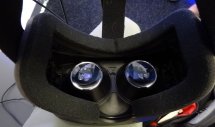
Auf der Games Developers Conference in Köln zeigt Oculus VR die Full-HD-Version seines Virtual Reality Headsets Oculus Rift und selbst auf der im Vergleich zur Gamescom eher kleinen Fachmesse hat sich eine beachtliche Schlange vor dem Stand gebildet. Spieleentwickler aus aller Herren Länder wollen sich anhand von vier Demos, darunter auch das von uns ausprobierte iRacing sowie VR Cinema, Undercurrent oder der Mech-Shooter Hawken, ein virtuelles, durch Linsen auf das Gesichtsfeld gestreckte Stereo-3D-Bild in Full-HD von der vielversprechenden Technik machen.
Auf dieser Seite
Oculus VR - Full-HD-Prototype
Oculus Rift konnten wir bereits anhand der Dev-Kit-Version umfassend ausprobieren, doch neben dem noch begrenzten Spiele- bzw. Demoangebot war vor allem das niedrig auflösende Display ein Kritikpunkt. Zwar stellte schon die ältere Version Inhalte mit 2x 640x720 Pixeln dar, doch durch den extrem geringen Betrachtungsabstand und den Vergrößerungseffekt der optischen Linsen waren einzelne Pixel durchaus störend auszumachen und minderten den sogenannten Immersionfaktor.
Die auf der GDC gezeigte Full-HD-Version stellt die Demos mit 960x1.080 Pixeln pro Auge dar - insgesamt also in Full HD. Das ist bereits ein großer Schritt hin zu einer Präsentation, die nicht mehr durch ein sichtbares Pixelraster ablenkt, doch ganz am Ziel ist man auch damit noch nicht angekommen. Interessierte Besucher können auch auf der ab Donnerstag für das Publikum geöffneten Gamescom in Köln einen Blick durch die Virtual-Reality-Brille werfen, dürften sich jedoch auf lange Wartezeiten gefasst machen müssen.
Oculus VR - Gamechanger?
Die potenziellen Auswirkungen auf die Spieleindustrie durch Virtual Reality und Oculus VR können kaum hoch genug eingeschätzt werden. Nicht nur gab kürzlich Industrielegende John Carmack bekannt, nun in Vollzeit als Chief Technical Officer, kurz CTO, für/mit Oculus VR zu arbeiten, nein, auch der Vortrag am Montag abend, in welchem unter anderem Oculus-Gründer Palmer Luckey über sein Produkt referierte und philosophierte, war der mit Abstand bestgefüllte im Offenbach-Saal des Kölner Kongresszentrums. Am Ende zeugte lang anhaltender Applaus der anwesenden Entwickler von deren Begeisterung über die neuen Möglichkeiten.
Oculus VR - Grenzen und Möglichkeiten
"Virtual Reality" erlaubt völlig neuen Grad des Mittendrin-statt-nur-dabei-Gefühls, auf Neudeutsch der Immersion oder "sense of presence". Insbesondere durch den Faktor "Tiefe", also beispielsweise einen Sturz, könne dabei die von Spieleentwicklern erwünschte emotionale Bindung zum Spieler aufgebaut werden. Aber auch ein besserer Sinn für Größenverhältnisse sei ein wesentlicher Vorzug der Technik, so Luckey. In herkömmlichen First-Person-Shootern wäre der Protagonist meist 120 bis 150 cm groß - Nichtspielercharaktere, Türen und Fenster würden hier eine 1:1-Adaption auf VR erschweren. Gleichzeitig wären riesenhafte Boss-Gegner in einem virtuellen Umfeld ungleich beeindruckender - size matters. Die sogenannte Simulator Sickness - quasi das Gegenteil von Motion Sickness, beide basieren auf sensorischer Diskrepanz zwischen Bewegung und Wahrnehmung - sei in der Tat ein Problem. Interne Versuch an Mitarbeitern, so die Präsentatoren augenzwinkernd, hätten jedoch gezeigt, dass auch hierfür anfällige Menschen sich zu einem gewissen Grad anpassten und gewöhnen könnten.
Nur am Rande ging man auch auf Gefahren durch (multi)sensorische Stimulation ein. Im Rahmen der möglichen Bandbreite an Spielen brachte Nate Mitchell, Produkt-VP bei Oculus, folgendes Beispiel: Mit Virtual Reality sei die Möglichkeit gegeben, Erfahrungen zu transportieren. Von einer Wellenreitersimulation inklusive des Gefühls von der Welle überrollt zu werden bis hin zu einem gemütlichen Abend am Strand, bei dem man mit einem (virtuellen) Bier in der Hand genau diesen Wellenreiter nur beobachtet. Dabei führte Mitchell aus, dass selbst das leichte Verschieben des virtuellen Horizonts um nur wenige Grad in letzterem Beispiel Schwindel oder gar leichte Übelkeit auslösen könne - weil eben gemachte und beobachtete Bewegung nicht übereinstimmten.
Oculus VR und die Hardware
Auch wenn ein Full-HD-Display auf den ersten Blick nicht besonders fordernd erscheint, könnte Oculus VR auch für die händeringend nach Aufrüstgründen suchende Hardware-Industrie ein Aushängeschild werden. Denn zum einen sind natürlich aufwendige Softwarefilter - die derzeit von Oculus genutzten sind stark ausbaufähig - nötig, um die Linsenverzerrrung auszurechnen und zum anderen sind für die Stereo-Darstellung sinnvollerweise 60 Bilder pro Sekunde pro Auge nötig - 120 Hertz also. Und da Bildrisse aufgrund von abgeschaltetem Vsync in einer VR-Umgebung besonders störend auffallen, sollten diese 120 Hz am besten konstant gehalten werden, damit die vertikale Synchronisation nicht auf 60 Hertz zurückfallen muss. In jedem Fall stören Latenzen und auch geringe Bildruckler in einer solch immersiven Umgebung deutlich stärker als am flachen Monitor - auch hier sind die Hardware-Hersteller gefordert, Verzögerungen durch gepufferte Frames möglichst abzustellen oder zumindest abstellbar zu machen. Oculus VR fordert zudem, Supersample-Antialisiasing einzusetzen, um eine besonders hohe Bildruhe zu erreichen.
Hintergrund zu gamescom
Auch 2013 wird Europas größte Messe für Spiele in Köln seine Tore für Fachbesucher und Endkunden öffnen. Der Veranstalter, die Kölnmesse, hofft auf viele Spiele- und Hardwarepremieren zwischen dem 21. August und 25. August 2013. Im Folgenden finden Sie alle Artikel rund um die Gamescom, die bei PC Games Hardware veröffentlicht wurden. Mehr zu gamescom gibt es auf unserer Themenseite.









Nein, 2 960*1080 Bilder, also zwei mal die Hälfte von Full HD. Also einmal FullHD in 60 FPS. Was ist daran bitte so schaer zu begreifen ?
Hallo,
ich habe geschafft alle Quellen in Echteziet auf den Rift zu bekommen. Da bei dem stereoskopischen 3D von Xbox und PS3 das überwinden von HDCP nötig ist, wurde dieser Teil dern Anleitung mittlerweile weggelassen.
Falls gewünscht, kann einen eigenes Thema zum Tathergang des Echtzeitriften in diesem Forum erstellt werden.
Noos@xp37+ (der Nick war hier leider net möglich)
Hello,
at first I should mention that I am working blind on this project - I mean without a rift. So there is no certainty for me at all if my achievements are of any value. But I have a good feeling, because at least based on my fundamental ideas, better capture software can be made to shorten the gap between real Oculus Rift content and realtime rifted content.
I use video processors to alter video signals - scaling, framerate conversions/double and triple flashing, colour space conversions, 3D format conversion, deinterlacing, colour/brightness/contrast/gamma correction, aspect ratio control/zoom/cropping, softedge blending, geometry corrections via warp map and - very important - motion interpolation. But with every new format or industry standard, a stand alone video processors becomes outdated. And they are limited to what they were intended for, so only a few functions from above per a very expensive device.
So my idea was to set up a video processor for the Rift, that is based on a low level PC (equipped with a Blackmagic Intensity Pro Card), and is capable of applying the following (in real time) to any external source. A computer that can do that to a source is for simplicity named Rift PC in the further text:
- the geometric correction needed by the rift
- scaling to the resolution/refreshrate accepted by the Rift
- convert 2D/3D formats to the side by side format of the Rift
- colour/brightness/contrast/gamma correction
- aspect ratio control/zoom/cropping
- motion interpolation (the software I use so far - Stereoscopic Player - can easily integrate the "Smooth Video Project" expansion and apply motion interpolation to video files. Until now, I was not able to achieve this with external inputs. But future software solutions, or updates to recent ones should enable motion interpolation for external sources. But not at the cost of more latency - so effective interpolation modes are needed.
Thanks for reading so far. For your patients, and to motivate you to continue reading, I add a small video here. It shows the low latency with a Xbox 360 being rifted - on the fly/live/realtime.2D HDMI XBOX works directly with HDMI ports of a Blackmagic cards, as a 2d XBOX signal is not HDCP protected:
XBOX 360 latency test while realtime rifted for Oculus Rift (e5200 WinXP):
XBOX 360 latency test while realtime rifted for Oculus Rift - YouTube
Edit: New video XBOX 360 latency test while realtime rifted for Oculus Rift (Phenom X6 Win7). Read description in post 8 below - no detectable latency:
XBOX 360 latency test while realtime rifted for Oculus Rift (Phenom X6 Win7) - YouTube
There is small latency, but please consider what is done to the 720p60 output of the 360: Scaling to 1280x800, geometry correction, and (if needed) 2d(3d) format conversion to side by side. More important is that the software (Stereoscopic Player) was never optimized for low latency, nor is a standard Win XP computer I used as Rift PC. I run a not loaded XP system in conjunction with an E5200, 2gb 800mhz RAM and a Nvidia 7200. Why so lame? Because a Windows 7 computer based on a recent Intel Quad at 4ghz, 2400mhz Trident RAM and a 7-Series GTX (thanks Matthias for your water-cooled beast), because this computer ended up with a huge delay on the real time playback. Both Rift computers had no firewall installed, nor where loaded with updates or software. But my XP based capture PC, after disabling GPU scaling and a few other things, was by far faster. So a "2400mhz RAM" Rift computer, with a optimized/lean operating system and an optimized software solution should give an even better latency.
Talking about latency: It can be considered general knowledge, that a "cable" controller gives a better latency in games than a cordless controller. So I wanted to find out if a cordless controller uses an "USB recharge cable" for communication, if the cable is connected. Therefor I used I a high frequency detector as it will visualize any emissions. Surprise surprise surprise: You will see in the small clips, that the PS3 Controller stops emitting when the USB cable is attached, while the XBOX 360 controller continues to communicate via bluetooth. But but but, that was not the big surprise. The surprise was that both consoles, even if wireless lan was deactivated, where emitting at full strength wlan radiation. Even if the console are in standby! "Always on" - somehow in this console generation too.
Xbox 360 emission test - wireless lan always on:
http://www.youtube.com/ed...
XBOX 360 controller bluetooth emission test for latency optimization:
XBOX 360 controller bluetooth emission test for latency optimization - YouTube
PS3 controller bluetooth emission test for latency optimization and wireless lan always on:
PS3 controller bluetooth emission test for latency optimization and wireless lan always on - YouTube
Back to the Rift PC. I decided to use a Blackmagic Intensity Pro PCIX card as capture card for the public project, because it is cheap and available for most users. It accepts 1280/720 at 50HZ/59,94HZ/60HZ, 1080p at 23,94hz/24hz/30hz, 1080i at 50hz/59,94hz/60hz, PAL/NTSC ans their progressive versions. Most important is that the card is supported (like newer/better Blackmagic cards) by the Steroscopic Player. Below are a few diagrams of how to playback sources in real time on an Rift PC. The HDMI splitter in the beginning is not an must, but it must work without delay. The Blackmagic produces "black screens" if a supported resolutions comes in unsupported timings. So with the HDMI splitter you can add a control monitor and always see your source. Even if Blackmagic works as intended, you will not need to wear your Rift for configuration.
The blackmagic will capture video/svideo/component at the above mentioned resolutions. Component can be converted to Euro Scart RGB via a transcoder - this conversion is lossless because it is a colour space conversion. So the Rift PC will accept all those mentioned sources. I will not go into detail with old SD and HD sources, but directly step to stereoscopic input of NVidia, Tridef and IZ3d.
The input of Tridef/IZ3D PC´s can go directy to the Rift PC and it´s Blackmagic with 720p60 SBS! 60fps per eye today via HDMI! Well, if you source PC can deliver them to the Rift PC. So you render the game including head tracking on the source PC - and then capture it and realtime rift it to the format of the Oculus Rift on your head.
Tridef/IZ3D stereoscopic 3d 720p60SBS as source - HDMI Splitter - HDMI to Blackmagic Intensity PCIx - Stereoscopic Player/Rift PC - output at 1280x800p6ohz "Side by Side" with Rift geometry.
Nvidia 3D is a little bit more tricky. Again you can directly connect the Nvidia source PC to the Rift PC and capture frame sequential at 720p60 (30hz per eye and depending on your PC also 30 frames per eye) via HDMI. Or a capture card capable of 120hz or a Lumagen Radiance....
Videos:
I hesitated to link videos captured with the Rift PC because of several reasons. First, I do not have a Rift and can not adjust 3D settings and the Stereoscopic Player. I even found a way to increase the low separation in PS3 stereoscopic games, a good deal more than you can see in Uncharted. But that is of no value without a Rift for control. So when you watch the videos, I need feedback if what I did results in a correct Rift format - I can not adapt it to comfortable viewing. My second reason to hesitate with public videos is that this Rift PC is optimized for realtime playback. As you see in the camera video, playback is smooth - even at 60hz frame sequential. But when I capture with the lame but low latency Rift PC, the videos do stutter. So please keep that in mind. I even was forced to deactivate sound recording to unlock capacities.
Thanks again to Matthias for the helping camera hand, and his massive XBOX collection.
NVIDIA stereoscopic test application 720p60 framesequential realtime rifted for Oculus Rift
NVIDIA 3D stereoscopic test application 720p60 framesequential realtime rifted for Oculus Rift - YouTube
NVIDIA 3D stereoscopic test application 720p60 framesequential realtime rifted for Oculus Rift - YouTube
NVIDIA 3D stereoscopic test application 720p60 framesequential realtime rifted for Oculus Rift - YouTube
NVIDIA 3D stereoscopic test application 720p60 framesequential realtime rifted for Oculus Rift - YouTube
Tridef does Trine and then realtime rifted for Oculus Rift
Tridef does Trine in stereoscopic 3D - realtime rifted for Oculus Rift - YouTube
Nvidia does Dreamfall and then is realtime rifted for Oculus Rift
Nvidia does Dreamfall in stereoscopic 3D and realtime rifted for Oculus Rift - YouTube
Nvidia does Dreamfall in stereoscopic 3D - realtime rifted for Oculus Rift - YouTube
IZ3D does Trine and then realtime rifted for Oculus Rift
IZ3D does Trine in stereoscopic 3D and then realtime rifted for Oculus Rift - YouTube
PS3 and Xbox 360 3D (!) sereoscopic (!) gaming on the Oculus Rift:
https://www.youtube.com/w...
https://www.youtube.com/w...
https://www.youtube.com/w...
https://www.youtube.com/w...
https://www.youtube.com/w...
https://www.youtube.com/w...
https://www.youtube.com/w...
https://www.youtube.com/w...
https://www.youtube.com/w...
Two points are left:
First - to the person giving out free Oculus Rifts to researching persons:
I could need a Rift for improving this solutions and realizing others. Also, as soon as HD-Rift is available, I could adapt the real time rifting solutions to the new panel.
Second - to the staff manager of "Team Oculus Dallas":
Consider this project the attachment of my application. My Job is to identify problems in all (hardware/physical) fields, become an expert and solve them - including the writing of unassailable patents (if patents are possible or necessary.)
Thanks for reading and best regards from Munich, Germany
Marc
ich verstehe die Leute nicht, die der 120 fps Argumentation nicht folgen können.
Die Karte berechnet 2 Blick-Perspektiven, also 2 unterschiedliche Full HD Bilder. Wenn ich also pro Auge 60 fps haben möchte, muss ich 120 fps berechnen, wobei dann jeweils 60 Bilder pro Seite dargestellt werden. Selbst wenn nun ein Frame beide Perspektiven beinhaltet nach der Verarbeitung durch den Treiber, musste die Karte immer noch 120 Bilder berechnen.
Das hier dann 120 Hz anliegen, ist aber in jedem Falle falsch, da jedes Auge (wenn es in der Retail Version denn so ist) nur jeweils eine Wiederholrate von 1/60 hat.
naja reicht ja. ist auch schön nur zu genießen xD