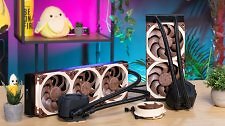
Noctua NL-LC1 Review: The First Noctua AIO Sets a New Cooling Benchmark
For the first time, Noctua is entering the crowded AIO cooler market. With the NL-LC1, the Austrian manufacturer is launching an AIO series. We tested both the 360mm and 240mm versions in our lab.
Special Add as a preferred source on Google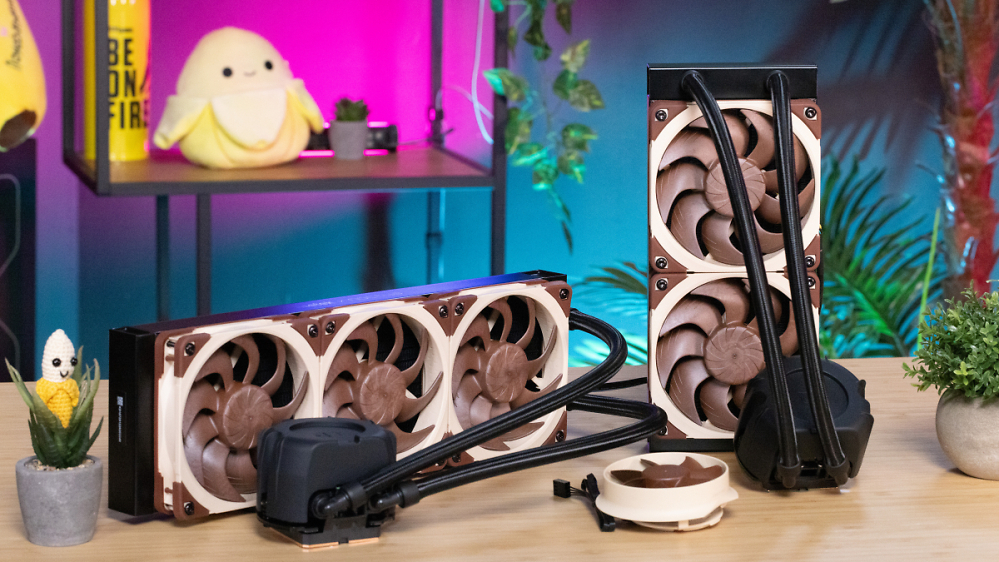
In this article
A new venture for Noctua: compact liquid coolers. Given their noisy pumps and show-off nature, they don't seem like an obvious match for Noctua's understated brown-and-beige design language, but the Austrian manufacturer has taken the plunge and released the NL-LC1 series in three sizes. We tested the 360mm and 240mm versions to see whether the premium price is justified.
Accessories and Design: Torx for the Win
As is typical for Noctua, the NL-LC1 models come with a great set of accessories. A printed manual, a tube of thermal paste, the right screwdriver, and an AM5 heat spreader WLP protector—Nothing about the accessory package feels cheap or bare-bones. Whether it's a high-quality feature or just a gimmick: All the screws used to install the AIO have a Torx drive, which makes the included Torx screwdriver all the more practical.
The system is based on Asetek technology. The Emma V2 pump drives the circulation, and a 30-mm-thick aluminum radiator dissipates the heat, which is transported via the 420-mm and 400-mm-long hoses using coolant. The cold plate is made of unplated copper, so using liquid metal is not recommended; however, there are no precision issues that could arise from electroplated nickel, for example, and the block makes excellent contact with the CPU. Noctua's mounting solution allows for use on AM5, AM4, and Socket 1851/1700. The water block's cover is also a unique feature, as Noctua has integrated various damping measures designed to keep pump noise low.
VRM Cooling
Normally, the pump cover is designed to be magnetically attached to the included Noctua emblem. However, Noctua also sells an optional add-on module that fits perfectly into the mount and is also held in place magnetically. It is a small fan that provides airflow to the voltage regulators, the RAM, and, depending on its position, the SSD as well. Depending on the system and airflow inside the case, this can be useful, but we managed just fine with the AIO alone.
Details I
The Fans
The NF-A12x25 G2 hardly needs any introduction. These 120mm fans came out on top in our standalone fan test. The models installed on the NL-LC1-36 and -24 are identical to the retail versions. The sealing silicone frame is included as standard. However, there is one small difference compared to the standalone fan. To reduce structural vibration interference, Noctua has equipped one fan in each of the 240mm and 360mm models with a speed offset. You'll need to keep this in mind during installation—at least for the three-fan version. Here, the fan spinning slightly faster must be placed in the center, while two identical fans flank it on the right and left. On the 240mm model, however, fan placement doesn't matter. Countless AIO tests have shown us that such measures can be useful, as fans were able to generate resonance points that, for example, made measurement significantly more difficult. High-quality fans are less prone to this kind of resonance-related noise, but it still exists and is actually reduced by an offset.
Details II
The next page features the results of the noise-normalized test and the maximum performance test—presented in chart form and explained. We'll also reveal whether the pump lives up to its promise of quiet operation and makes the AIO a good product. Finally, we'll provide a price estimate and a comparison table with all relevant values compared to the competition.