Zum Inhalt springen
PC Games Hardware
Login
Registrieren
Artikel
Tests
Kaufberatung
News
PCGH English
Alle PLUS-Artikel
Abo & PLUS
PCGH Pur/Plus
Aktuelles Heft
Abo/Einzelhefte
Spiele-Codes einlösen
Bei Amazon shoppen
PCGames.de
Angebote [Anzeige]
PCGH-PCs
Schnäppchen-Deals
Merch-Shop
Datenbank
PCGH-Datenbank
GPU-Datenbank
GPU-Rangliste Raster
GPU-Rangliste Raytracing
CPU-Datenbank
CPU-Rangliste
Golem-Angebote
Jobs für Gamer
Karrierecoaching
GameDev & IT-Kurse
Auto Dark/Light Mode
Add as a preferred source on Google
Forum
Kaufberatung
Preisvergleich
Ticker
Merch-Shop
PCGH-PC
Tests
Plus
Videos
Neue Foren-Posts
Newsletter
Spiele-Tests
Grafikkarten-Tests
CPU-Tests
Ratgeber
Startseite
Grafikkarten
DE
Deutsch
EN
Share article
Geforce RTX 5000:
How to Enable the Hotspot Sensor in MSI Afterburner
Unwinder has explained on the Guru3D forum why MSI Afterburner does not display the Geforce RTX 5000 hotspot temperature. Nvidia's closed interface is reportedly to blame, but HWiNFO and a plug-in can still feed the value into the overlay.
Send via email
Back to article
Geforce RTX 5000:
How to Enable the Hotspot Sensor in MSI Afterburner
Permalink
Image 1 of 1
[Source: PCGH]
https://www.pcgameshardware.de/Grafikkarten-Grafikkarte-97980/News/geforce-rtx-5000-hotspot-sensor-msi-afterburner-hwinfo-1548514/galerie/4278747/
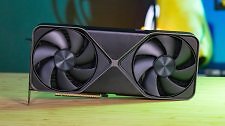
[07/09/2026] Nvidia Geforce RTX 5090 FE
Hoch
Print / Abo
Apps
✕
![[07/09/2026] Nvidia Geforce RTX 5090 FE](/screenshots/1280x1024/2026/07/Nvidia-Geforce-RTX-5090-Test-pcgh.jpg)