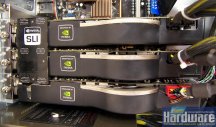
Multi-GPU - From micro stuttering to macro stuttering
PCGH already talked about the problems of micro stuttering with current multi GPU solutions (link to the article). Now we show you the problems with an SLU solution and have possible remedies at hand.
 Quelle: PCGH
Radeon HD 3870 X2 and Geforce 7950 GX2: Problems with micro stuttering is obvious and cannot denied
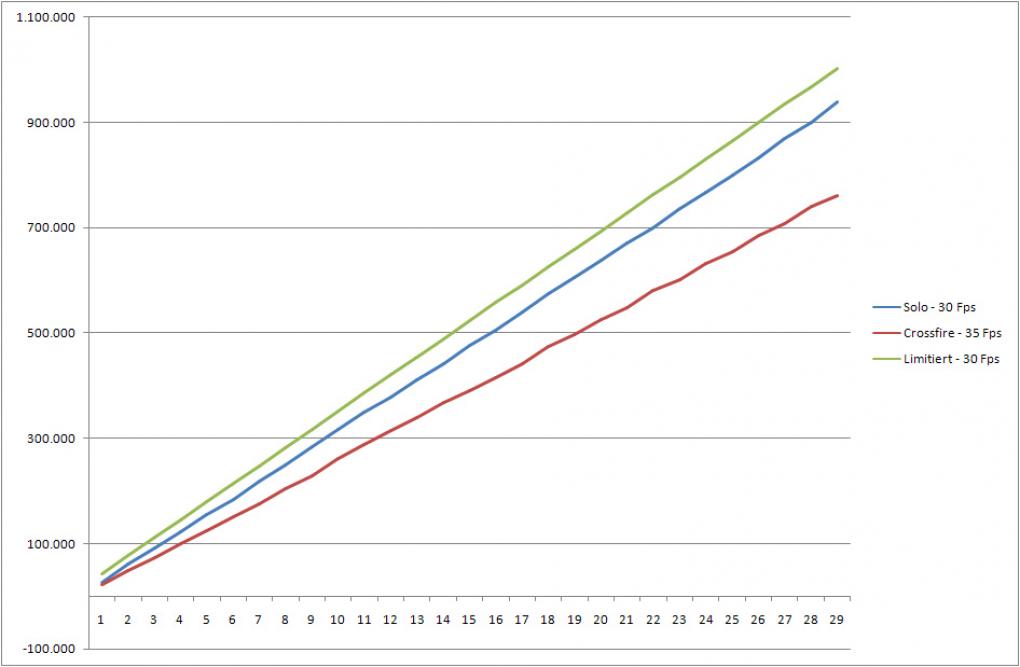
The issue of micro stuttering/jerking is to be seen prominently around 30 fps. If you have less fps, the stuttering becomes annyoing. To show you the dramatic consequences we tested a Geforce 7950 GX2 with 3DMark 06. In this video, both GPUs are delivering their frames almost in parallel which leads to extreme jerking. You may see the video here.
Quelle: PCGH
Radeon HD 3870 X2 and Geforce 7950 GX2: Problems with micro stuttering is obvious and cannot denied
The issue of micro stuttering/jerking is to be seen prominently around 30 fps. If you have less fps, the stuttering becomes annyoing. To show you the dramatic consequences we tested a Geforce 7950 GX2 with 3DMark 06. In this video, both GPUs are delivering their frames almost in parallel which leads to extreme jerking. You may see the video here.
 Quelle: PCGH
3D Mark 06 with and without Framelimiter: Even in the solo test, the framerate is not smooth.
Quelle: PCGH
3D Mark 06 with and without Framelimiter: Even in the solo test, the framerate is not smooth.
Reaons
The reasons for this problems are the be found in the current technique to divide the rendering workload to several GPUs. With Alternate Frame Rendering (AFR), GPU 1 calculates frame 1 while GPU 2 calculates frame 2 and so on. It's no matter if you use two external cards that work together or two GPUs on the same die. Even the PCI-Express interface has nothing to do with the effects of micro stuttering. Then, you can see "macro stuttering" - regular jerking.
 Quelle: PCGH
S3 Chrome S27: Even Multichrome shows micro stuttering.
Quelle: PCGH
S3 Chrome S27: Even Multichrome shows micro stuttering.
Workaround: Fps-Limiter
As a workaround you can use a tool that is able to limit fps to certain degrees (Download). If your card or multi card setup is able to deliver 30 fps constantly, you may get rid of micro jerking. If you like to test the tool, please beware that version 0.2 doesn't support D3D 10, just D3D 8, 9 and OpenGL. To start a program with the tool, you have to create a shortcut to the limiter. For 3DMark06, it looks like this:
"C:\fpslimiter\FPS_Limiter.exe" "D:\3DMark06\3DMark06.exe"
30 fps are set, if you would like to have 40 fps, you have to add /f:40. You may user F10 or F11 in the game to alter these values.